All guidesFixed assets
Register a fixed asset
Put a vehicle, machine or fit-out on the register so it depreciates month by month instead of hitting one month's accounts.
- Steps
- 3 · About 3 min
- Who can do this
- Owner · Manager · Accountant
- Needs the module
- Fixed assets
A van, a compressor, a shop fit-out — things you buy once and use for years. Charging the whole cost to the month you bought it would make that month look terrible and every month after it look better than it was.
The register spreads the cost across the asset's working life instead, one month at a time, straight line.
Choose where it came from
Fixed assets in the sidebar, then Register an asset. First decide the source:
From a supplier bill — the normal case. You already recorded the purchase as a supplier invoice; pick that line and Horizon213 takes the cost from it. Nothing is posted twice.
Existing / opening — something the business already owned before it started using Horizon213. You supply the original cost, the acquisition date, and the depreciation already recorded elsewhere, so the register starts where reality is rather than at zero.
Describe the asset
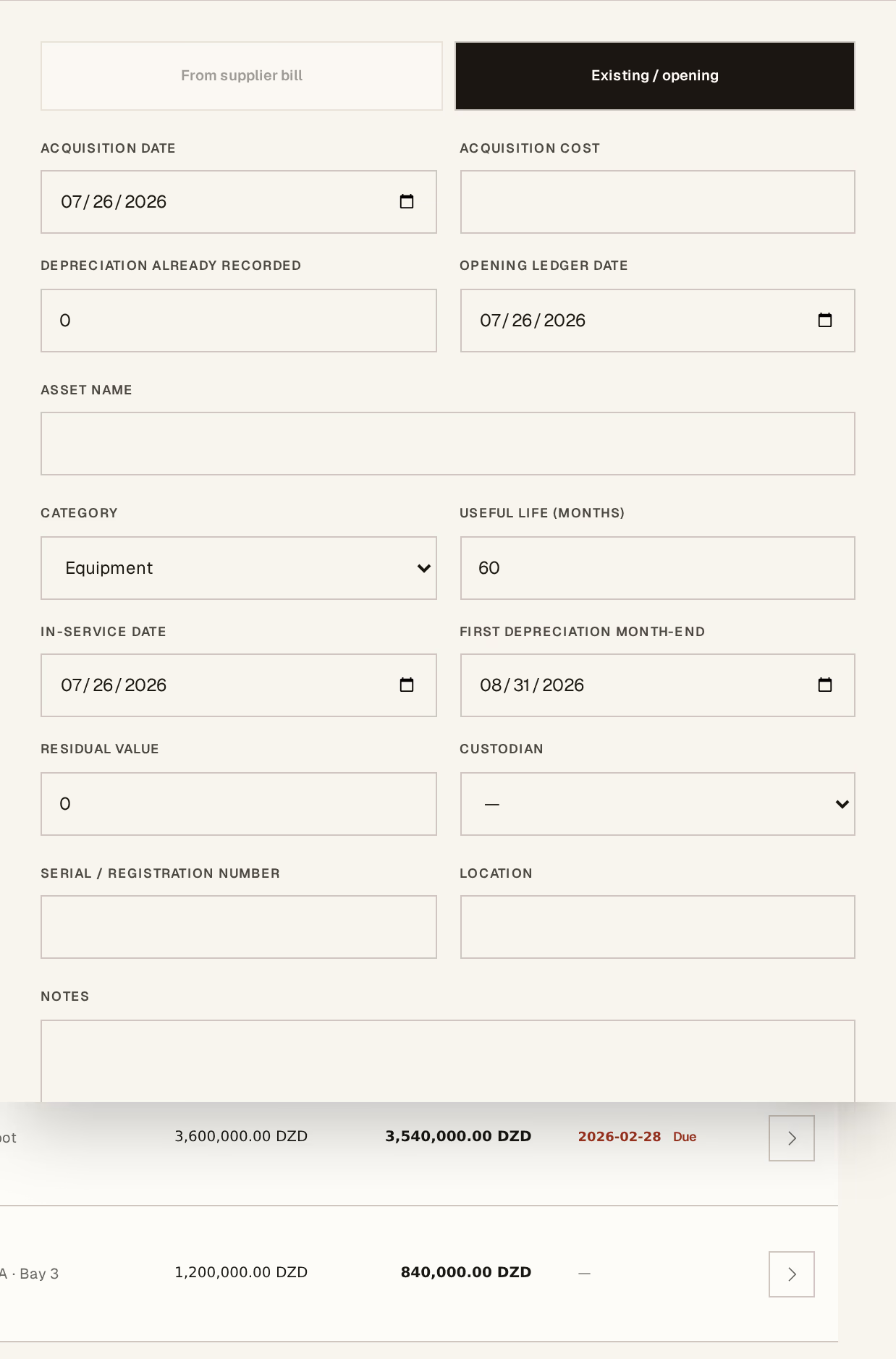
What to look at:
Asset name — what your team calls it. "Peugeot Boxer, Alger depot" beats "Vehicle 3".
Useful life (months) — how long you expect to use it. This is the number that decides the monthly charge, so it is worth a conversation with your accountant rather than a guess.
In-service date — when it started being used, which is often later than when it was bought. Depreciation runs from here, not from the invoice.
Residual value — what you expect it to still be worth at the end. Leave it at zero unless you genuinely expect to sell it on; only the cost above this value is spread.
Category, custodian, serial number and location are for finding and accounting for it later. The custodian in particular answers "who has the van" without anyone having to remember.
Press Create asset record.
Then post depreciation, monthly
An asset does not depreciate on its own. Each month the register shows what is due and the dashboard says a posting needs attention until you deal with it.
Only the next scheduled month can be posted, and only in order. You cannot skip March to catch up in June — which is the point, because a schedule with holes in it is not a schedule.
Disposal — selling or scrapping — requires all due depreciation to be posted first. The gain or loss is calculated against the book value at that moment, so posting the outstanding months is what makes that figure honest. Horizon213 will refuse the disposal until they are.
Next, you might want to
- Match a supplier invoice to what arrivedPost what the supplier is charging you against what you actually received, so the debt and the input VAT are real.
- What your stock is worthHorizon213 values stock at a moving weighted average, per company. This is why the figure changes when you buy, and not when you sell.