All guidesMoney
Import a bank or CCP statement
Load the bank's own file so every line it contains can be checked against your cashbook.
- Steps
- 4 · About 3 min
- Who can do this
- Owner · Manager · Accountant
- Needs the module
- Money
Before you start
Reconciliation answers one question: does what the bank says match what you recorded? Anything the bank shows and you did not — a charge, a standing order, a customer who paid straight into the account — is money that has moved without your books knowing.
It starts by loading the statement. Everything else works from that file.
Choose the account
Finance → Bank reconciliation, then pick the statement account. Each cash, bank or postal account reconciles separately, against its own statements.
The header shows the ERP's balance for that account beside the latest statement balance, and the difference between them. That difference is what the whole exercise closes.
Load the file and its balances
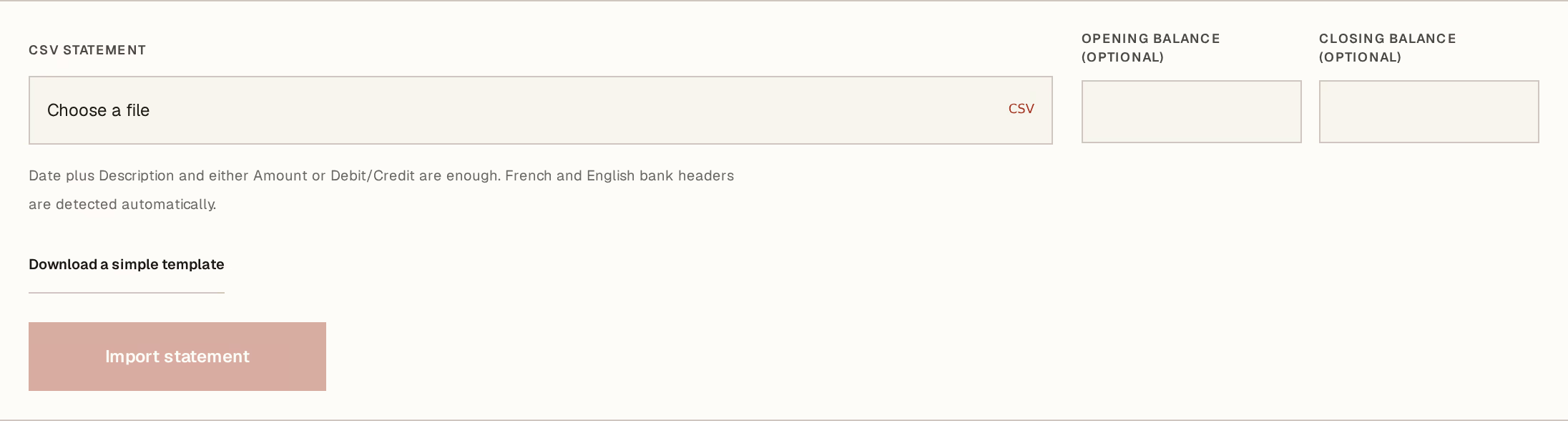
What to look at:
Opening balance — the balance the statement starts from. Copy it from the statement, not from Horizon213.
Closing balance — the balance it ends at. These two are what let the system tell you whether the file it received is complete and internally consistent — a statement whose lines do not bridge its own balances is a statement with something missing.
Import statement loads it.
Choose the CSV file above. Most Algerian banks and Algérie Poste will export one; comma, semicolon and tab separators are all accepted.
What the import tells you
The result reports how many new lines were read and how many were skipped as duplicates.
Duplicates are skipped, not merged. That matters, because the safe way to handle an uncertain import is simply to import again — overlapping the previous file costs nothing, and a line already loaded is not counted twice. Import the month, then import the month again with a few extra days: nothing doubles.
Then work the review queue
The imported lines land in Review statement lines, where each one is either matched to a cashbook entry, turned into a new entry because it was never recorded, or set aside with a reason.
That is the substance of reconciliation and it has its own guide. What matters here is that importing changes nothing on its own: no cashbook entry is created, no balance moves. The file is evidence, waiting to be worked through.
Import the statement as the bank issued it. Do not edit the file to remove lines you think are wrong or already handled — those are exactly the lines worth looking at, and the review queue is where they get explained rather than deleted.