All guidesSell
Send a customer statement
Produce the account history for one customer over a period — every invoice, every payment, and what is left owing.
- Steps
- 3 · About 2 min
- Who can do this
- Owner · Manager · Team member
- Needs the module
- Sell
Before you start
A statement is the answer to "what do we actually owe you?" — and it is the document that settles most disputes about it, because it shows the whole conversation rather than one invoice.
It is also the polite first step in chasing money. Sending a statement is not an accusation; it is a reconciliation between two sets of books.
Choose the customer and the period
Sales → Statements & reminders.

What to look at:
Customer — one at a time. A statement is per customer by definition.
From — the start of the period. Take it back far enough to include the oldest thing still unpaid, otherwise the opening position needs explaining.
To — usually today.
Show produces it.
Nothing appears until you press it. This screen is a report, not a register.
Read the account
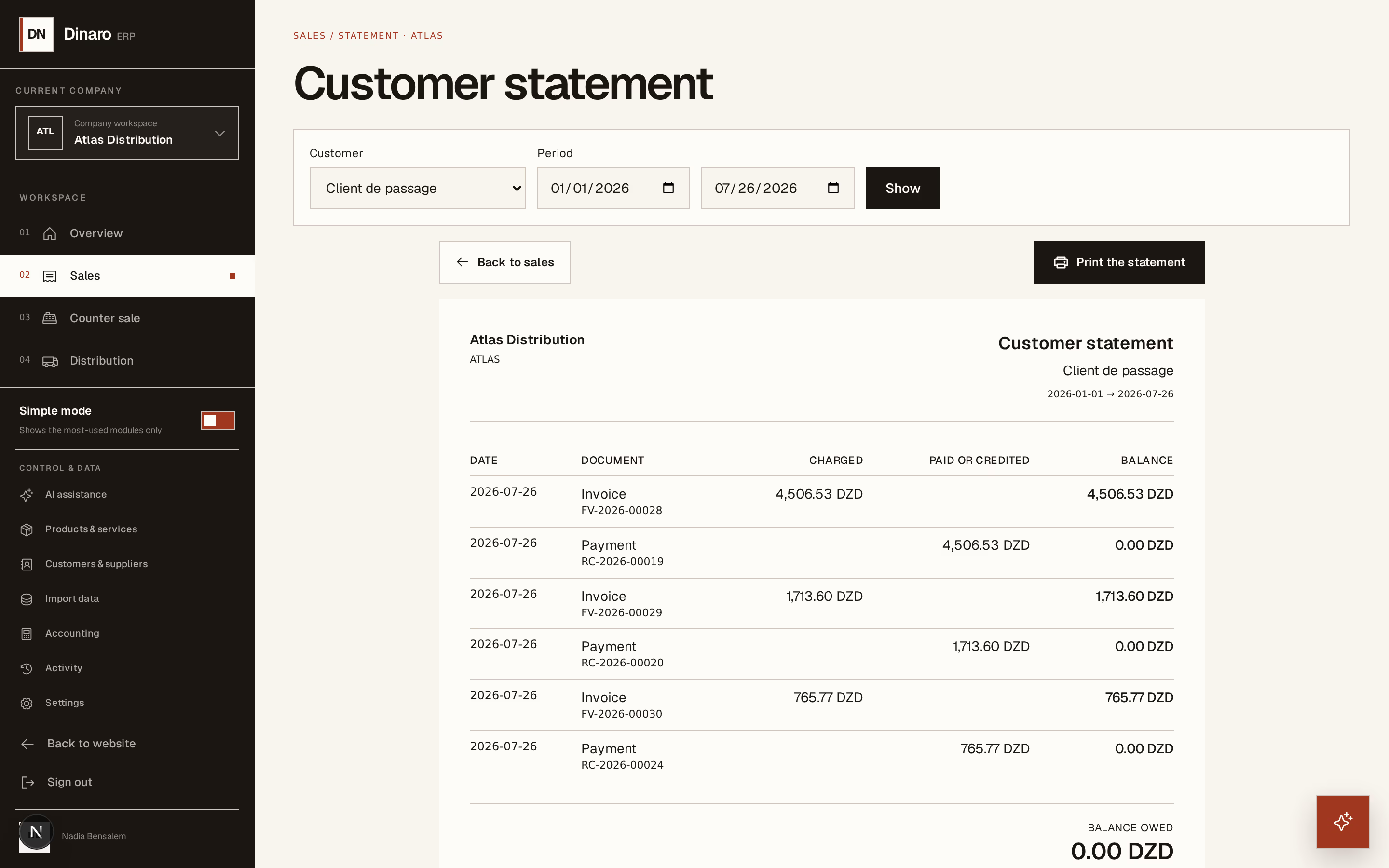
What to look at:
The account itself — every document in the period, with the running balance beside it and what is owed at the foot.
Invoices appear under Charged, payments and credit notes under Paid or credited.
That running balance is what makes a statement persuasive. A customer arguing about one invoice can see the invoice before it, the payment that cleared it, and where the disagreement actually starts.
Each line names its document, so anything queried can be pulled up by number.
Send it
Print the statement produces the A4 page to hand over, post, or attach to an email.
Send statements on a rhythm rather than only when annoyed — the end of every month to every customer with an open balance. A statement that arrives regularly is administration. One that arrives only when you are angry is a demand, and gets treated like one.
A statement shows what has been invoiced and paid. It does not include post-dated cheques you are holding — those have not settled anything yet, and they live in the cheque register. A customer who has given you a cheque for the balance will still see the balance as outstanding, which is correct: it is.