All guidesAccounting
Post a manual journal entry
Record an accounting entry that no invoice, payment or stock movement produced — and only when that is really the case.
- Steps
- 4 · About 2 min
- Who can do this
- Owner · Manager · Accountant
Almost nothing here should need typing. Invoices, payments, receipts, deliveries and stock movements all write their own entries as they happen — that is the point of recording them in the first place.
A manual entry is for what genuinely has no document behind it: an accrual, a reclassification, an opening adjustment your accountant asks for. If you find yourself posting entries to fix everyday work, the everyday work is being recorded in the wrong place.
Open Accounting
Accounting in the sidebar. Set the period with From and To and press Apply to see the journal for those dates.
Each entry shows where it came from, and every entry Horizon213 wrote itself says so — which is how you tell a posted sale from something somebody typed.
Write the entry
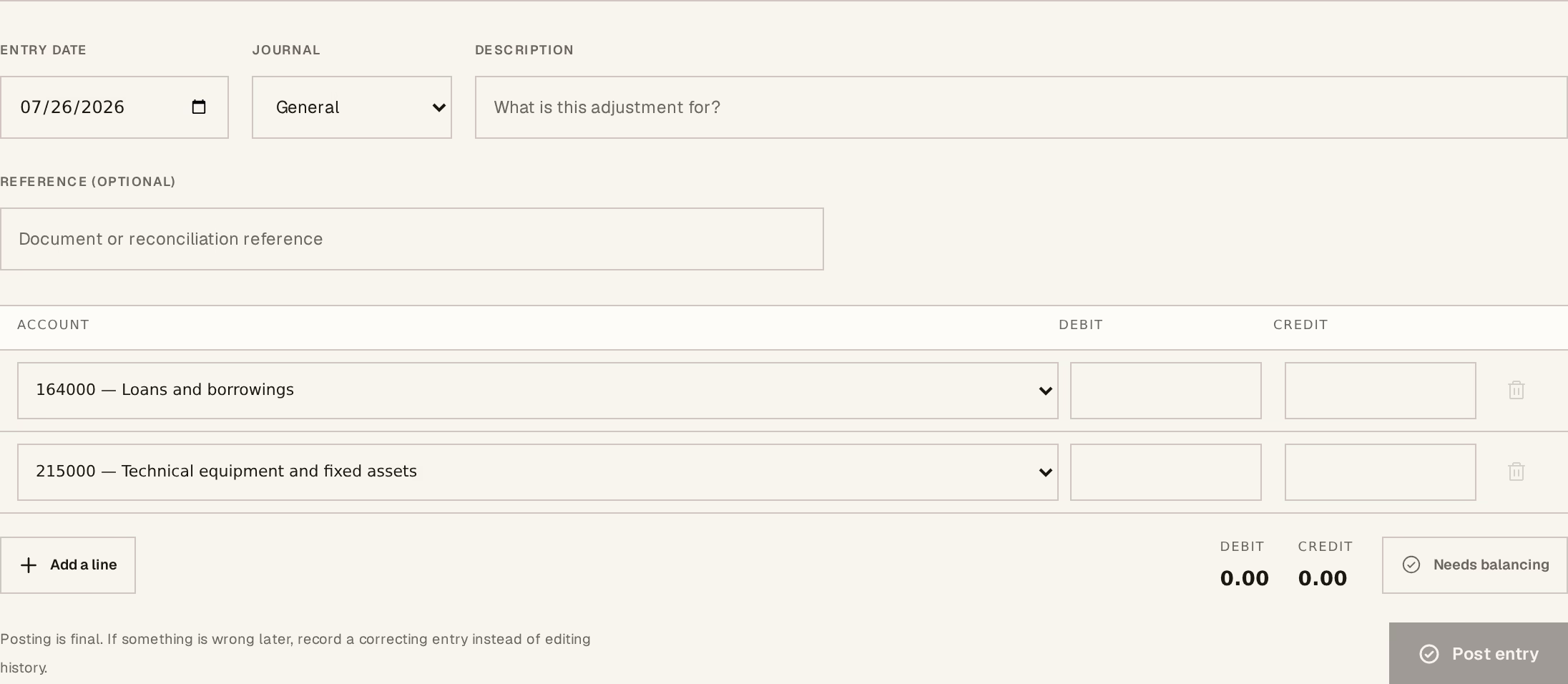
What to look at:
Journal — General (OD), Bank (BQ) or Cash (CA). The general journal is where anything without a treasury movement belongs.
Account — from your chart of accounts, per line. The defaults follow the Algerian SCF.
Debit — on the lines that take the value.
Credit — on the lines that give it.
Entry date, Description and Reference sit above. Write the description for a stranger: in a year it is the only explanation anyone will have.
Add a line for each further account. The indicator tells you Balanced or Needs balancing, and it will not post until the two sides agree.
Post it
Press Post entry.
Posting is final. There is no edit and no delete — a wrong entry is corrected by posting its opposite, which leaves both visible and the trail intact. That is not an inconvenience; it is the property that makes the ledger worth anything.
Closing a period
Close period stops further entries falling into it, which is what you do once a month is agreed and filed. It can be reopened, but reopening a locked period needs a company manager.
This screen writes directly to your books. It bypasses the checks that sit around invoices and payments — nothing here verifies that a customer exists or that stock adds up. Post from a document your accountant has given you, not from memory.