All guidesSet up your company
Fill in your company's legal and fiscal identity
Enter the identifiers that print on every document, and set the language, timezone and tax regime the company works under.
- Steps
- 2 · About 2 min
- Who can do this
- Owner · Manager
This is the half-hour that saves you a hundred small corrections later. Every identifier here prints on every invoice, delivery note and credit note the company issues, and the fiscal settings decide how VAT is calculated and which periods your returns cover.
Do it before you issue the first document. Changing it afterwards does not reprint what has already gone out.
Enter the legal identity
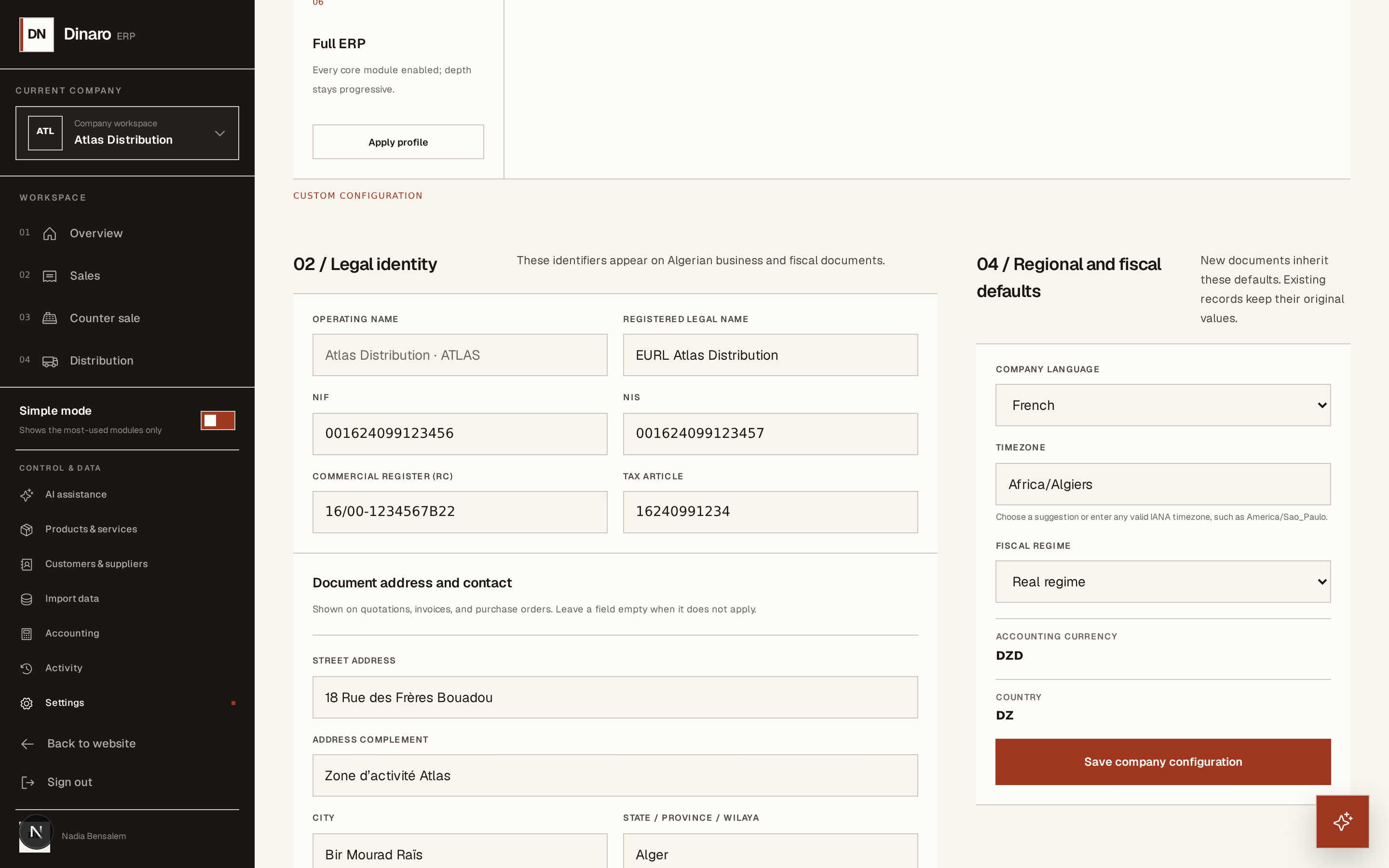
What to look at:
Registered legal name — the name on the commercial register, which is often not the name over the door. The trading name is set separately; both appear on documents.
NIF — the tax identification number.
RC — the commercial register number.
Tax article — the article d'imposition.
NIS sits alongside them. Fill in what the company actually holds; a blank field simply does not print, whereas a wrong one is worse than nothing.
Underneath, Document address and contact is what appears in the header of printed documents: street, city, wilaya, postal code, business phone and email, and a default document footer for the line every invoice should carry — payment terms, bank details, whatever your accountant asks for.
Set the regional and fiscal defaults
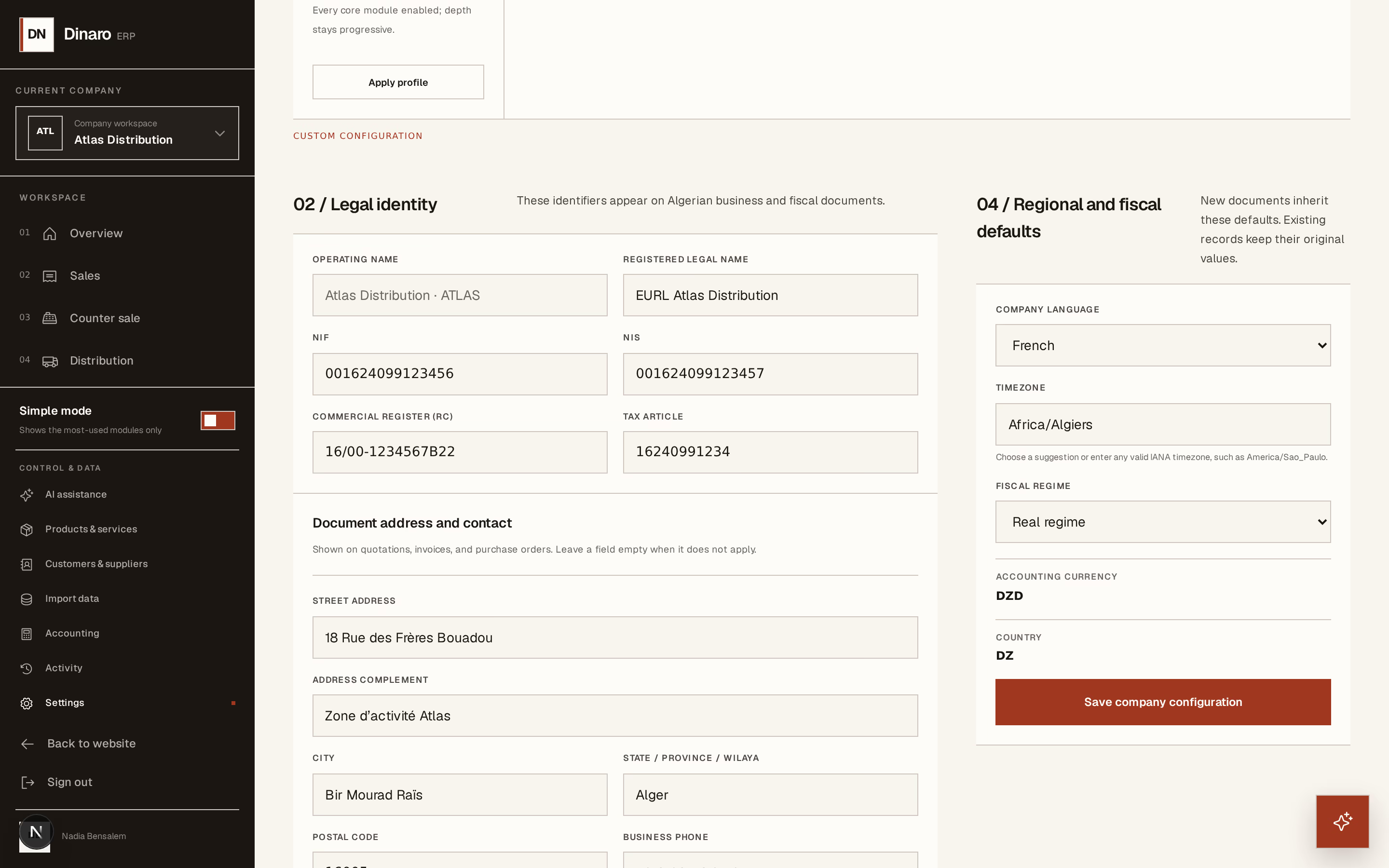
What to look at:
Company language — the language documents are produced in. It is separate from the language each person reads the interface in: an Arabic-speaking operator can work in Arabic and still issue French invoices.
Timezone — what "today" means for this company. It decides which day a sale falls on and how overdue an invoice is, so a company operating outside Algeria should set its own.
Fiscal regime — IFU, Simplified real, Real, or Custom/international. This is the important one: it decides whether VAT applies at all, and whether your working papers are monthly or quarterly.
Accounting currency and Country sit with them. Both are set once when the company is created and rarely change afterwards.
Press Save company configuration.
Under IFU, the company is not subject to VAT and Horizon213 says so on the VAT screen rather than producing a return. If you pick the wrong regime, your tax figures will be confidently wrong. Check it with whoever files for you.