All guidesSet up your company
Turn modules on and off
Show only the parts of Horizon213 this company actually uses, and hide the rest from everyone's screen.
- Steps
- 3 · About 2 min
- Who can do this
- Owner · Manager
Horizon213 carries far more than most businesses need. A hardware shop has no use for payroll; a consultancy has no warehouse. Modules let you show a company only the parts it works in, so the sidebar stays short and nobody has to learn their way past screens they will never open.
Turning a module off never deletes anything. It hides the module and removes it from the assistant. Turn it back on and everything is where it was.
Start from a business profile
Settings opens with Business profile: Essentials, Shop & counter, Trade & distribution, Services, Industry, Full ERP. Pick the one nearest your business and press Apply profile.
That switches a sensible set of modules on in one press. It is a starting point, not a decision — adjust it below.
Two modules are opt-in and stay off until you ask for them: Counter sale and Distribution. No profile except the matching one turns them on, because a business that does not sell over a counter should never see a till.
Choose what appears
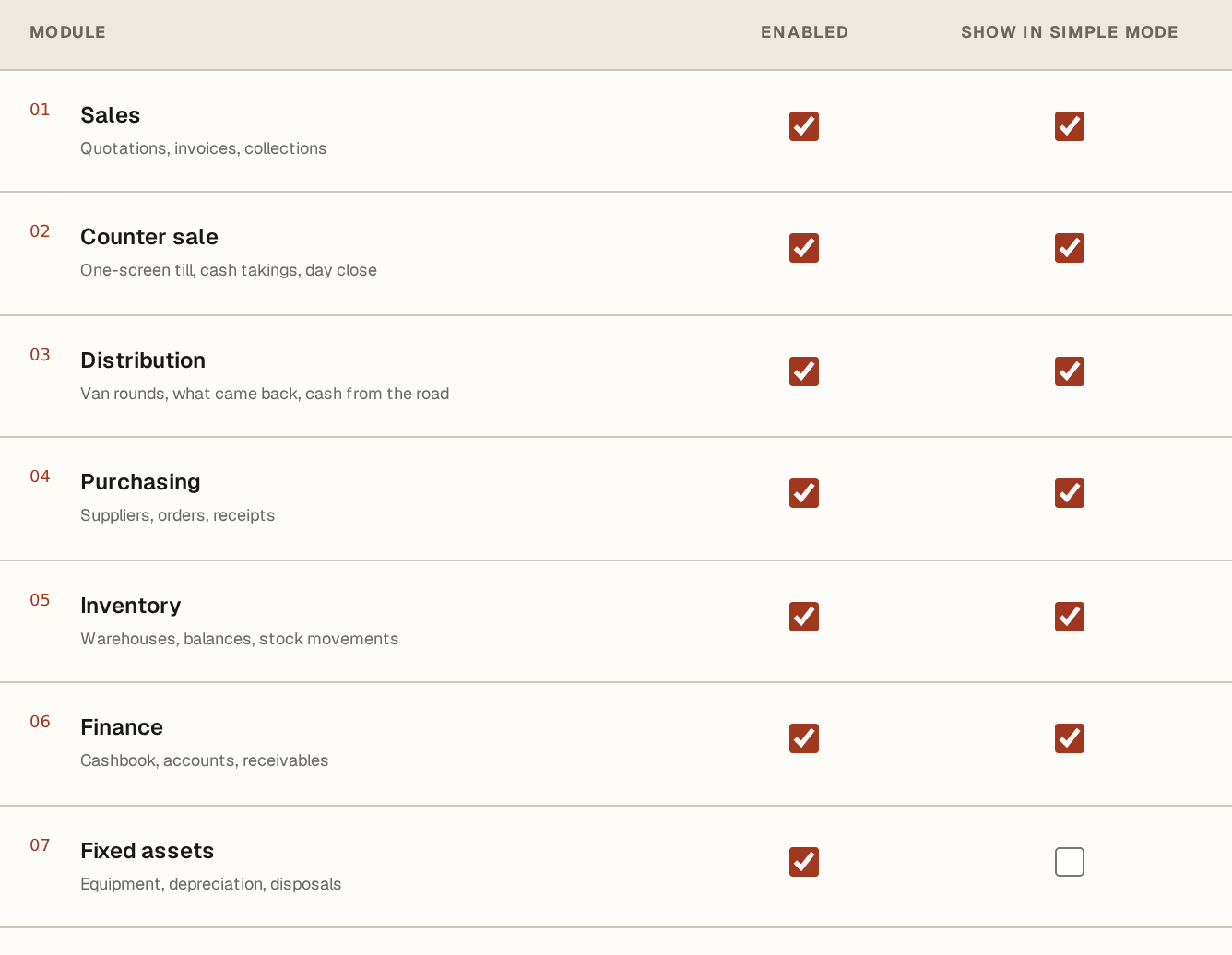
What to look at:
Enabled — whether this company uses the module at all. Unticked, it vanishes: from the sidebar, from the command finder, and from what the assistant is willing to talk about.
Show in simple mode — whether it stays visible when someone turns Simple mode on in the sidebar. Simple mode is for the person who only ever does two jobs; leave the everyday modules ticked and the occasional ones unticked.
Press Save company configuration at the bottom of the page. Every section on this screen saves together with that one button.
Check the sidebar
The navigation redraws immediately, and it renumbers: hidden modules leave no gaps, so the list always reads 01, 02, 03.
Modules are set per company. Two companies in the same workspace can run completely different sets, and switching between them changes what you see.
Next, you might want to
- Fill in your company's legal and fiscal identityEnter the identifiers that print on every document, and set the language, timezone and tax regime the company works under.
- Invite a teammate and choose what they can doSend an expiring invitation link scoped to the companies and the level of access you choose.