All guidesCounter sale
Open the till for the day
Count what is already in the drawer and start the register, so the day's takings can be checked against it tonight.
- Steps
- 3 · About 2 min
- Who can do this
- Owner · Manager · Team member
- Needs the module
- Counter sale
The till has to be opened before it will take a sale. That is not a formality: opening it records what was in the drawer to start with, and that number is the only thing tonight's count can be compared against.
Everything sold from the till becomes an ordinary sales invoice — same numbering, same tax, same stock movements, same accounting. The till is a faster way to write one, not a different kind of sale.
Open Counter sale
Counter sale is in the sidebar, under Sales. If it is not there, the module is switched off for this company; a manager can turn it on in Settings.
Count the drawer and start
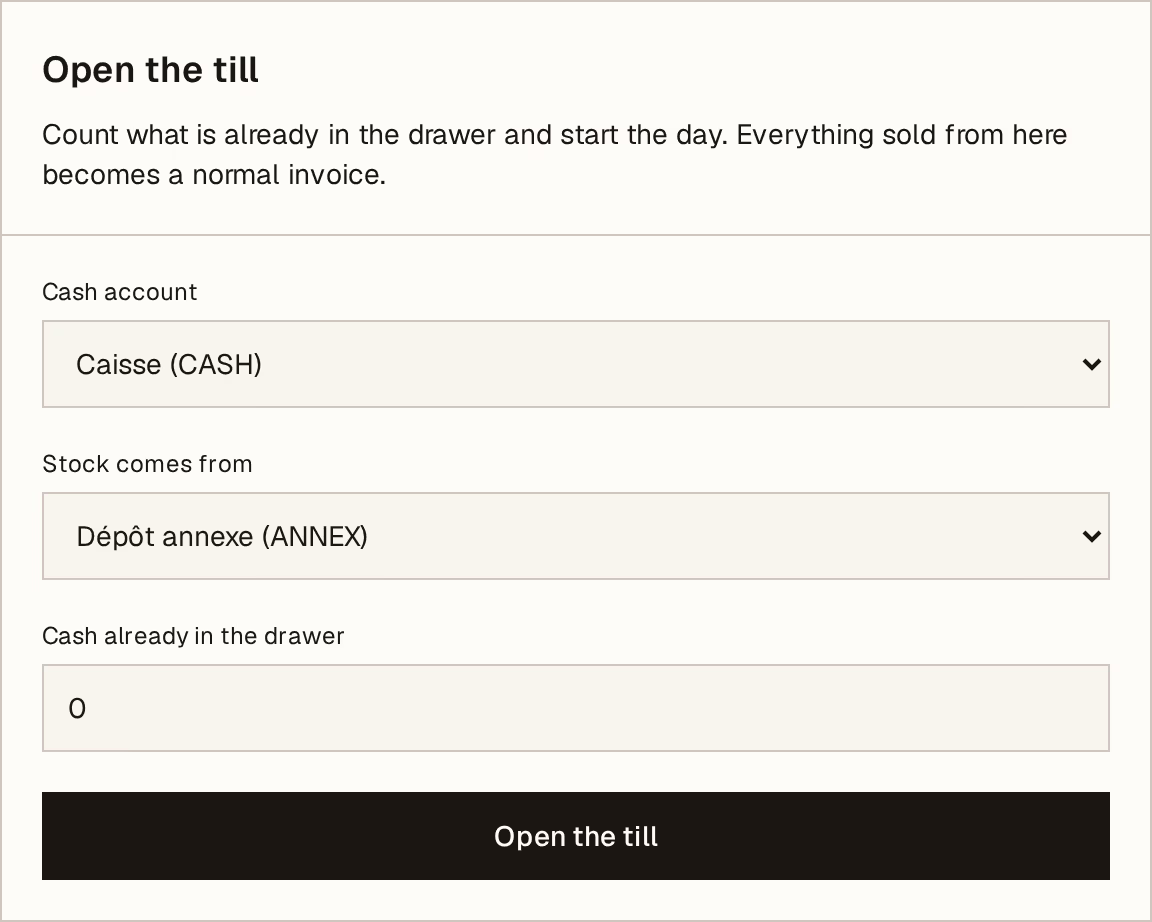
What to look at:
Cash account — where the day's cash lands in your books. Most shops have one and never change it.
Stock comes from — the warehouse that goods sold here come off. Get this right: sell from the wrong warehouse and your stock figures drift apart from the shelves.
Cash already in the drawer — the float, counted before you start. Count it honestly rather than typing what it should be; a wrong number here becomes a phantom shortfall tonight.
Open the till starts the session.
One till session is open at a time per company. If someone else has already opened it this morning, you will see the sale screen instead of this form — carry on selling, and close it once at the end of the day.
Sell
The screen becomes the sale workspace: a search box, your products, and a basket. From here on, see Take a counter sale.
At the end of the day, come back and close the till. The session stays open until you do — including overnight, which is worth avoiding, because a drawer counted the next morning is a drawer nobody can reconcile.