All guidesFollowing up customers
Track a potential sale
Record a deal you are chasing, what it might be worth, and the one thing you have to do next about it.
- Steps
- 4 · About 3 min
- Who can do this
- Owner · Manager · Team member
- Needs the module
- Following up customers
Before you start
This is deliberately smaller than a CRM. There are no campaigns, no scoring, no lead sources. A potential sale needs a customer, a short description, what it might be worth, how likely it is, and usually one dated thing to do next.
That last field is the one that earns its keep. Most sales are not lost to a competitor; they are lost to nobody calling back.
Open CRM · Follow-up
CRM · Follow-up in the sidebar. Two views of the same list: Kanban to see the pipeline by stage, List to search and scan. Use whichever suits the question you are asking.
Add what you are chasing
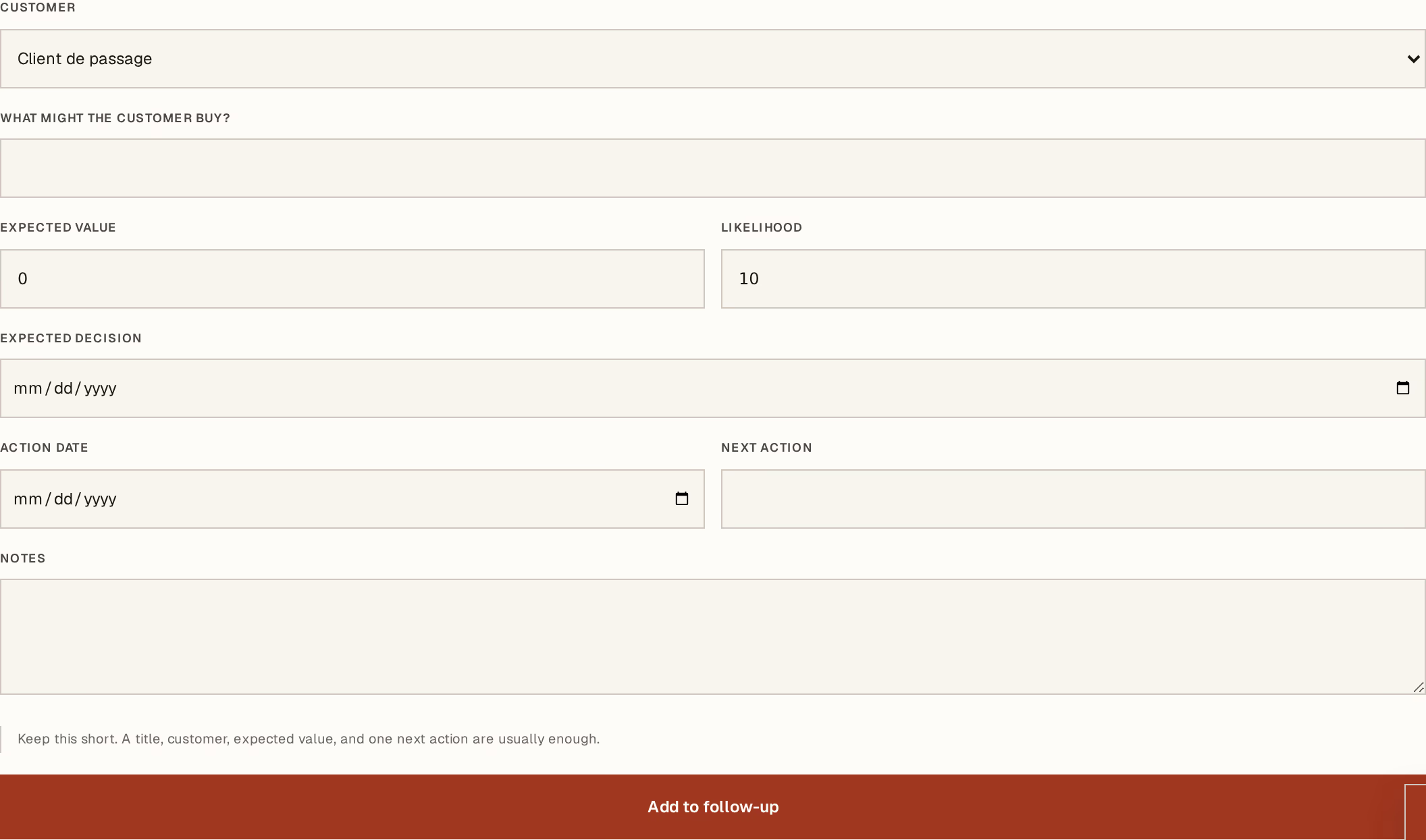
What to look at:
What might the customer buy? — a short description in your own words. This is what you will recognise it by in three weeks.
Customer — from the same contact list as everywhere else.
Expected value — roughly what it is worth. A rough number is far more useful than a blank: it is what makes the pipeline total mean anything.
Next action — the one thing to do next, with a date beside it. "Call about the pallet price, Thursday" beats "follow up".
Likelihood and Expected decision sit alongside. Press Add to follow-up.
Move it through the stages
Five stages, and no configuration: New → Discussing → Proposal → Won or Lost.
On the board, a card carries a Move to button that advances it one stage where it stands — most days a deal moves because something obvious happened, and that should not cost a round trip. Opening the card instead gives you the whole record: stage, value, next action and its history, without losing your place in the list.
Losing one is the exception, and it always opens the card, because it asks why. Answer honestly, and pick the category beside your sentence — a list of real reasons is the only thing that ever tells you something you did not already know, and the category is what lets you count them.
Turn a proposal into a quotation
From a deal at Proposal, Prepare quotation opens a new quotation with the customer already chosen. That is the whole handover: no retyping, no separate system.
The dashboard shows the actions that are due today alongside the money you are owed, which is the point — chasing a sale and chasing a payment are the same morning's work.
In group mode this list is read-only and every deal names the company it belongs to. Read-only users never see the edit controls or the quotation button.