All guidesCatalogue & contacts
Add a customer or a supplier
Record who you sell to or buy from, once, so every later document fills itself in.
- Steps
- 4 · About 2 min
- Who can do this
- Owner · Manager · Team member
Customers and suppliers live in one list. A contact can be one, the other, or both — the wholesaler you buy cartons from and sell pallets to is a single record, not two.
You only need a name to start. Everything else can follow, and most of it will matter later rather than today.
Open Customers & suppliers
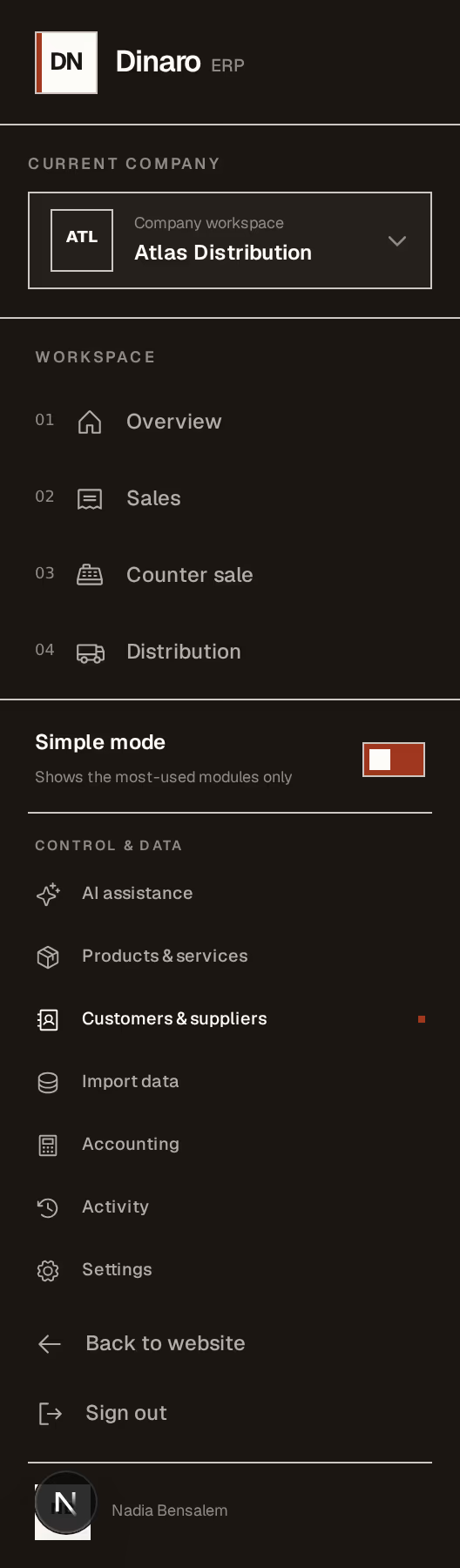
What to look at:
Customers & suppliers holds everyone you trade with.
Products & services is the other half of the same idea: what you sell, recorded once.
Say who they are
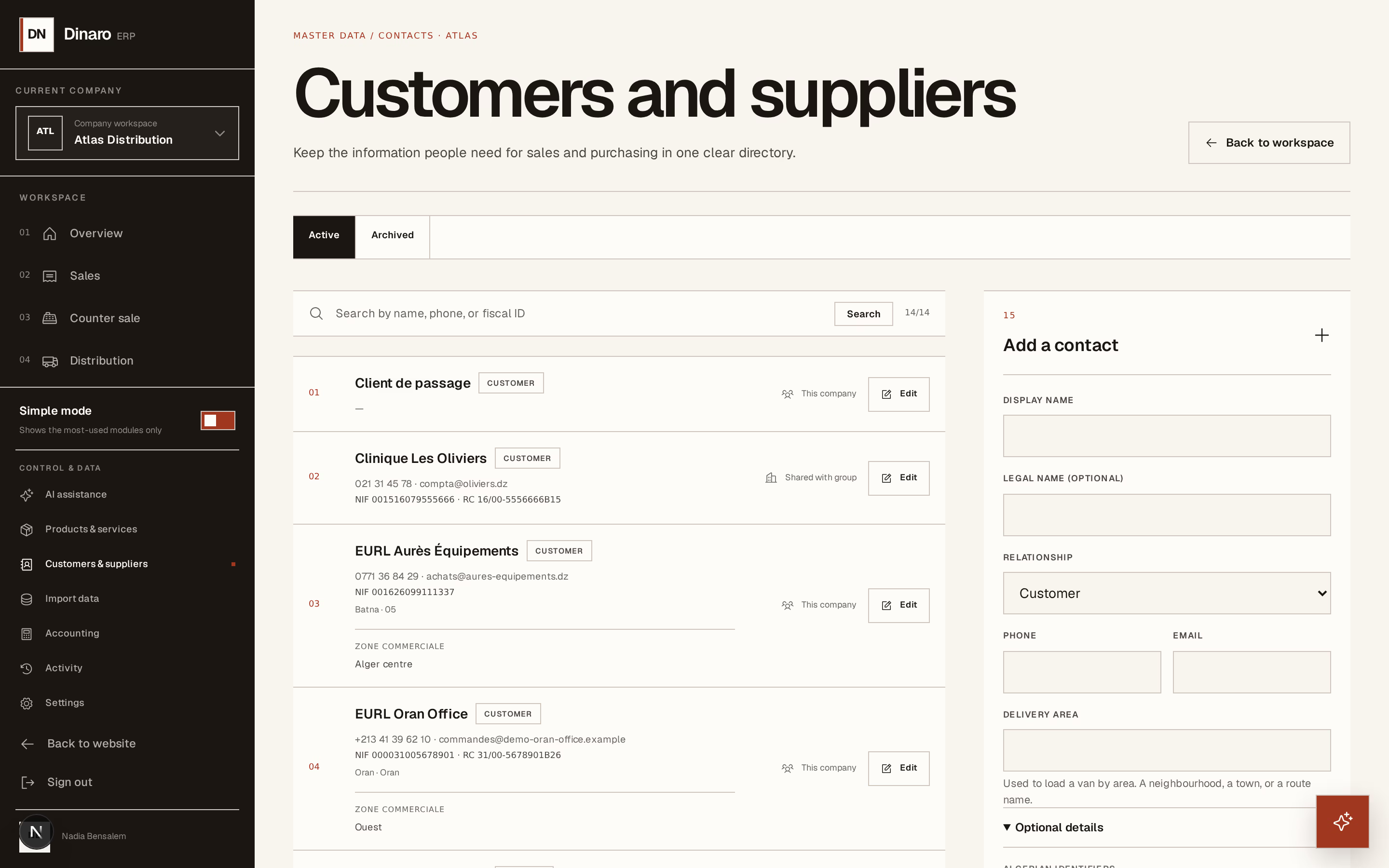
What to look at:
Display name — what you call them day to day. This is what appears in the customer list when you write an invoice, so use the name your team says out loud, not the full legal one.
Relationship — Customer, Supplier, or both. This is what decides where they show up: a contact marked Supplier only will not appear when you write a sales invoice.
Phone — worth filling in even when nothing else is. It is what the driver needs at the door, and what you need when a payment is late.
Add what Algeria will ask for
None of this is required to save the contact. It is required on the documents you will send them, so it is cheaper to enter now than to chase later.
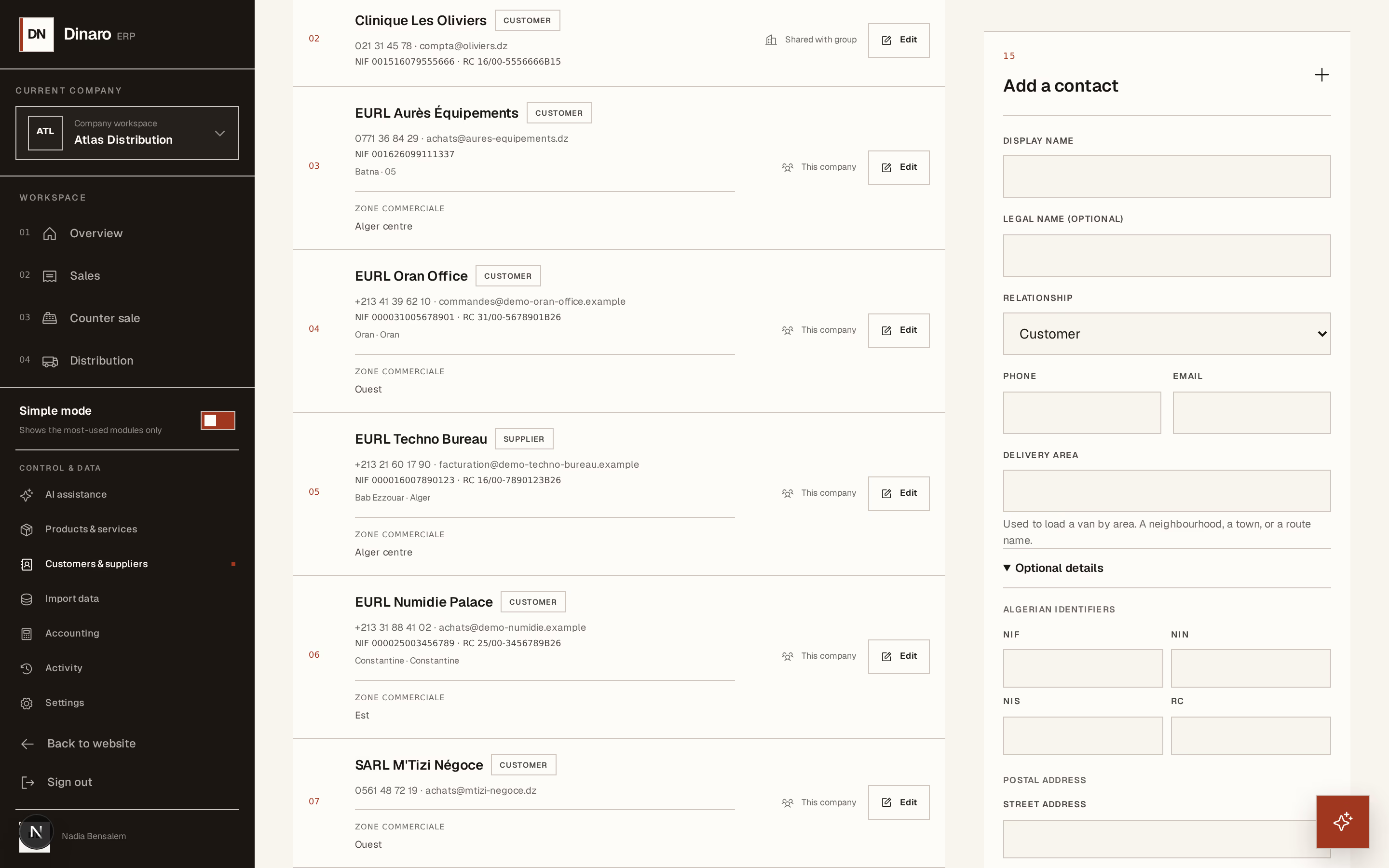
What to look at:
Delivery area — a plain word for the zone, like Alger Centre or Rouiba. If you deliver, this is what fills a van: rounds are loaded by area, so a customer with no area set will not appear when you build one.
NIF — the tax identification number. It prints on their invoices.
RC — the commercial register number. Same: it belongs on the document, and an invoice missing it can be refused by their accountant.
NIS and NIN sit alongside these. Fill in what you have; a blank field simply does not print.
Save
Press Save contact. The contact is available immediately, everywhere — the invoice form, the quotation form, the purchase order.
Later you can Edit anything here, or Archive a contact you no longer trade with. Archiving hides them from the lists without touching a single document they appear on. Nothing is ever really deleted, which is what lets you still read a three-year-old invoice and see who it was for.