All guidesDistribution
Load a van and send a round out
Pick a driver, a date and the delivery notes to load, then print the sheet the driver takes with them.
- Steps
- 4 · About 3 min
- Who can do this
- Owner · Manager · Team member
- Needs the module
- Distribution
Before you start
A round is a van going out for a day: a driver, a vehicle, and the delivery notes loaded into it. Horizon213 is not trying to plan the route or track the van — it is keeping count of what left, what came back, and what cash the driver is carrying.
A delivery note rides exactly one van. Once it is on a round it disappears from the list of notes waiting to be loaded, so two drivers cannot leave with the same goods.
Open Distribution
Distribution is in the sidebar. If it is not, the module is switched off for this company and a manager can turn it on in Settings.
The tiles across the top are the day at a glance: rounds out, stops still unanswered, cash on the road, and notes with no van.
Say who is going, and with what
Press Start a round.
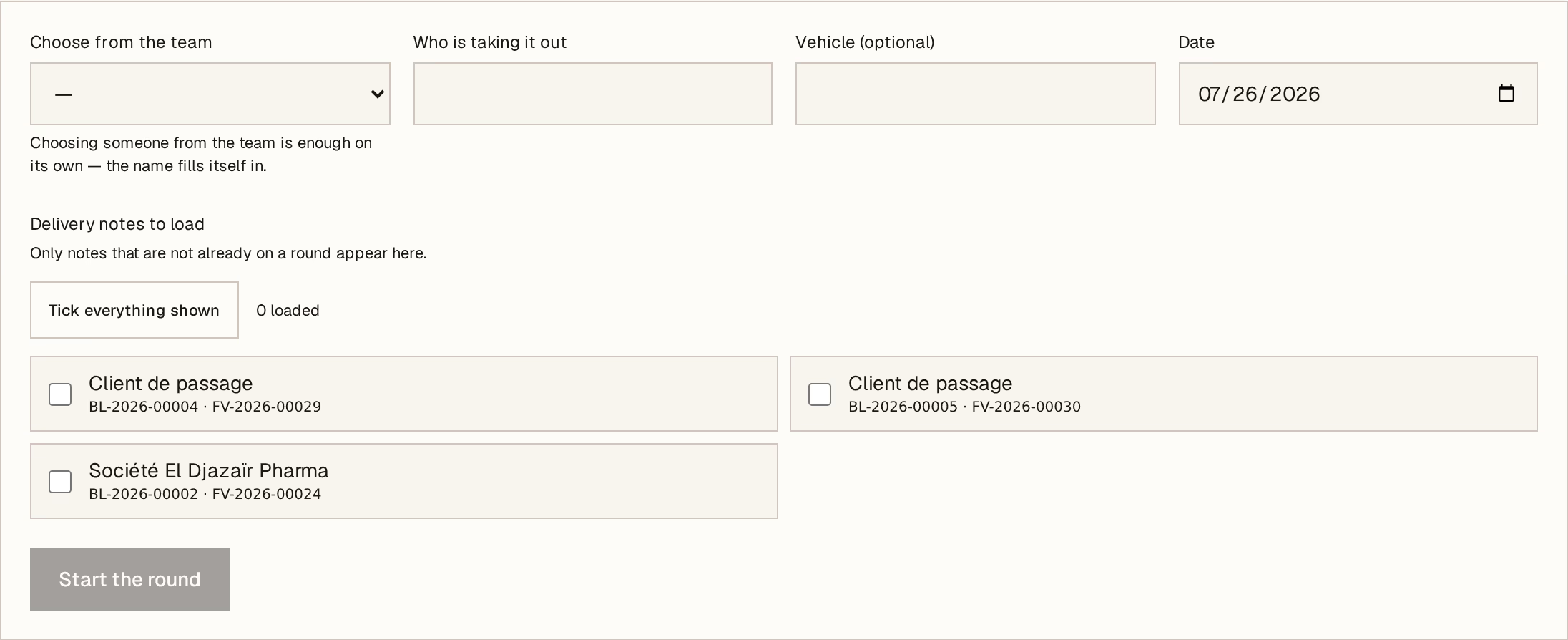
What to look at:
Choose from the team — pick a driver from your employees if they are on the payroll.
Or type a name — for the casual driver who is not. Both are fine; the name is what prints on the sheet and what you ask for when the van is late.
Date — the day the round goes out.
Delivery notes to load — tick what goes on this van. Only notes that are not already on a round appear here.
Vehicle is optional and free text — a plate, a nickname, whatever your yard actually calls it.
Load by area
Above the list, filter by delivery area to see only one zone at a time, then Tick everything shown to load it in one press. This is the fastest way to build a van, and it is why the delivery area on a customer is worth filling in: a customer with no area set will not appear under any zone.
Press Start the round. The notes are now on the van.
Print the sheet the driver takes
From the round, Print the round sheet. It carries every stop with its address and phone number, the amount to collect at each door, and signature blocks for the driver and the office.
That sheet is what the driver works from, and what you count against when the van comes back. Each stop then ends as either delivered or brought back, and any cash taken at the door is recorded against the invoice exactly as a payment taken at the counter would be.