All guidesPeople & HR
Run a payroll month
Prepare the month, adjust what needs adjusting, then post and pay in one operation.
- Steps
- 4 · About 2 min
- Who can do this
- Owner · Manager · Accountant
- Needs the module
- People & HR
Before you start
Payroll is prepared, checked, then posted and paid together. It is the one routine where the review step matters more than the entry: once posted, the month is in your accounts and in your employees' hands.
Before the first run, each employee needs a salary profile — base salary, taxable and non-taxable allowances, and whether they are included at all. The effective payroll rules below it carry the social and IRG rates, dated from when they apply.
Prepare the month
Payroll in the sidebar. Choose the payroll month and press Prepare or open payroll.
Preparing is safe and repeatable: running it again on a month already prepared opens the existing batch rather than starting a second one.
You get a line per included employee, with base, allowances, employee social contributions, IRG, net pay and the employer cost beside it.
Adjust the lines that need it
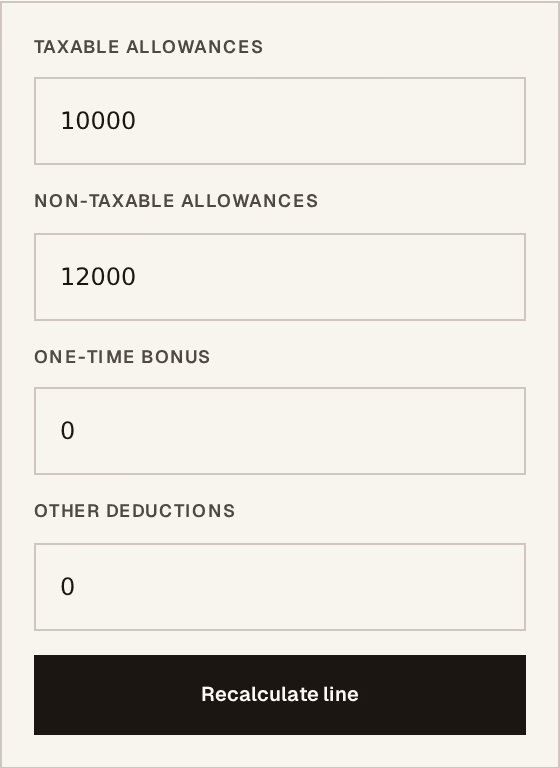
What to look at:
One-time bonus — this month only. It does not change the salary profile.
Other deductions — an advance being recovered, or anything agreed separately.
Recalculate line applies it and redoes the contributions and tax for that employee.
Do this before posting, not after. A bonus remembered the next day is a payroll reversal, not an edit.
Check before you post
Read the totals. The employer cost is what leaves the business; the net pay is what reaches the employee. If either surprises you, find out why now — the whole value of this step is that it happens before the money moves.
Post and pay

What to look at:
Pay from — the cash or bank account the salaries leave.
Payment date — the day they are paid.
Post and pay does everything at once: the payroll is posted, the employer cost is booked, the treasury payment is recorded, and the month is closed.
Payslips are then printable per employee, in English, French or Arabic.
A posted payroll is corrected by reversal, with a reason — never edited. And if the payment has already been matched during bank reconciliation, the reversal is refused until it is unmatched, because reversing it would leave the statement line pointing at something that no longer exists.