All guidesStart here
Recover your password
Get back into your account by email, and understand why the screen tells you so little.
- Steps
- 4 · About 2 min
- Who can do this
- Owner · Manager · Accountant · Team member · Read only
From the sign-in screen, choose to reset your password. You need the email address your account was created with — usually the one your invitation arrived at.
Ask for a link
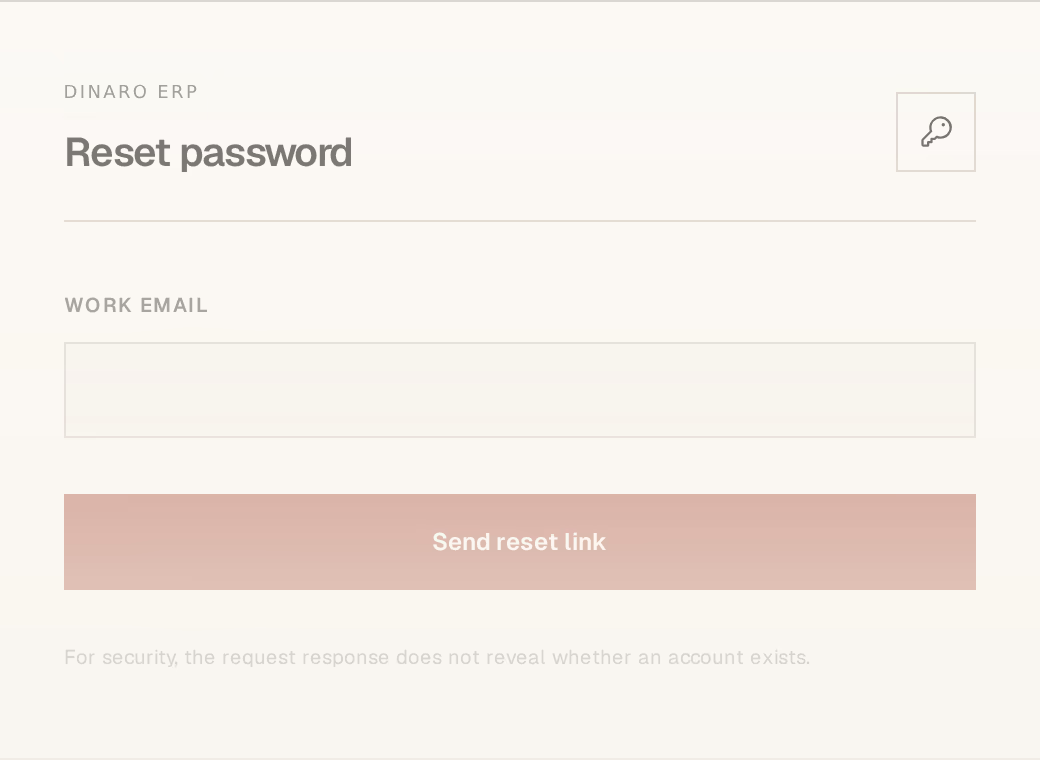
What to look at:
Work email — the address on the account. Not your personal address unless that is what was used.
Send reset link — a one-time link is emailed to you.
Why the screen tells you nothing
Whatever you type, the response is the same: the request was received. It will not say no such account, and that is deliberate.
If it did, anyone could type addresses at this screen and learn which ones belong to your company — which is exactly how a targeted attempt on a business starts. The cost is that a typo looks identical to a success. If no email arrives within a few minutes, check the spelling and the spam folder before assuming something is broken.
Choosing the new password
The link opens a screen asking for the new password twice. Use one you do not reuse anywhere else.
The recovery session closes as soon as the password changes, so you sign in again with the new one. The link is single-use and expires; if it has, request another — an expired link says so plainly rather than failing silently.
If the email never comes
The likeliest cause is that the address has no account. That happens when somebody was invited at one address and is typing another, or when an invitation was never accepted — an invitation that is still pending is not yet an account.
Ask whoever administers your workspace to check the address on your invitation. Inviting your team covers it from their side.
Nobody at Horizon213 can read or set your password for you, including whoever installed the system. Recovery by email is the only route back in. If you lose access to the mailbox as well, an administrator has to re-invite you.