All guidesAccounting
Close and reopen a period
Stop new entries landing in a month you have already declared — and know how to let one back in when you must.
- Steps
- 4 · About 3 min
- Who can do this
- Owner · Manager · Accountant
The day after you file a declaration, the figures behind it must stop moving. A back-dated invoice, a correction landing on the wrong day, a stock import with an opening date in the wrong month — any of them quietly makes your books disagree with what you told the tax authority.
Closing a period is how you stop that.
Set the status
Accounting, in the fiscal year block.
What to look at:
The status — Open, Closed, or Locked.
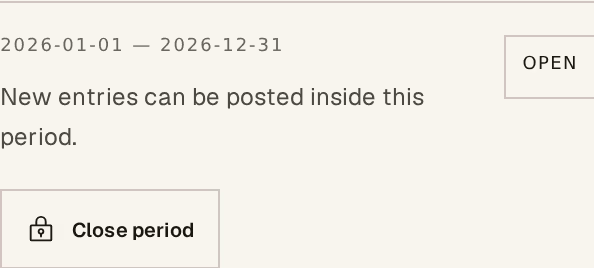
Open — new entries can be posted inside this period. This is the normal state for the month you are working in.
Closed — posting is paused. Anything dated inside the period is refused, with a message saying why.
Locked — the same, but only a company manager can reopen it. This is the state for a period that has been declared and audited.
The button — one press moves the period between states. It names what it will do, so Close period on an open one and Reopen period on a closed one.
What a closed period refuses
Everything dated inside it. Not just manual entries — a payment, a stock movement, a payroll month, an opening-balance import. Each of those screens tells you the period is closed rather than failing obscurely, and each asks you to choose a date in an open period instead.
That is usually the right answer. A correction made today for something that happened in a closed March belongs to today: it is a reversal in the current period, not a rewrite of March.
When to reopen
Reopen when something genuinely belongs in the closed period and cannot be carried forward — a supplier invoice that arrived late for goods received in that month, an error found before the declaration went out.
Reopen, post, close again the same day. A period left open "for now" is a period that quietly accepts three months of stray entries.
The order of the year
Close months as you finish declaring them, oldest first. The point is not ceremony: it is that every screen in the product then refuses to put a figure somewhere you have already reported from, without anybody having to remember to check.
Closing is not a lock on reading. Reports, statements and the VAT view all still work on a closed period, and the trial balance still adds up. You are stopping writes, not hiding the past.
Next, you might want to
- Post a manual journal entryRecord an accounting entry that no invoice, payment or stock movement produced — and only when that is really the case.
- Check your VAT before preparing the G50Reconcile the VAT your documents say you owe against the VAT actually posted, and clear the exceptions before you file.
- Why nothing here is ever editedHorizon213 corrects mistakes by posting the opposite, not by changing what was written. This is the rule behind almost every "you cannot" in the guides.