All guidesBring your data in
Import your customers, suppliers and catalogue
Bring existing records in from a spreadsheet, using the template Horizon213 generates for your company.
- Steps
- 3 · About 2 min
- Who can do this
- Owner · Manager
Before you start
Nobody should retype a customer list to start using an ERP. If you have your contacts and your catalogue in a spreadsheet — or can get them out of whatever you used before — they come in from a file.
The import is all or nothing. Either every row is valid and the whole file lands, or nothing does and you are told what to fix. There is no half-imported state to untangle.
Start from the template
Import data in the sidebar. Four sections, in the order you should do them.
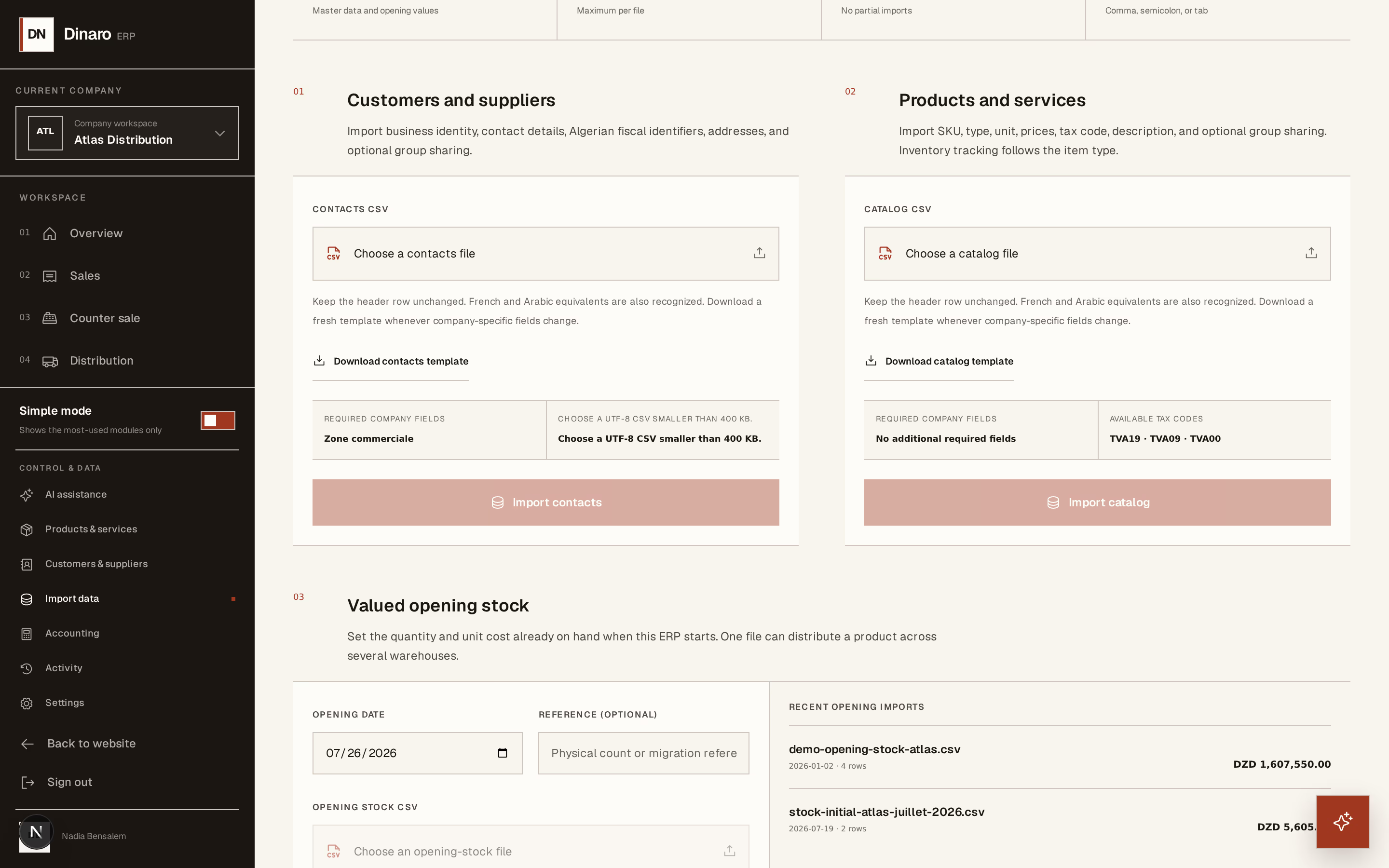
What to look at:
Download contacts template — do this first, every time.
Import contacts — once the file is filled in.
Download catalog template — the same for products and services.
Import catalog — bring them in.
The templates are generated for your company, not generic. They already carry your tax rates, your units, and any business-specific fields you have added — which is why downloading fresh beats reusing last year's file.
Fill it in
Work in the template's own columns. Keep the header row exactly as it comes: that row is how Horizon213 knows what each column means.
Contacts first, catalogue second. Do it in that order because later imports — opening stock, open balances — refer to records that must already exist.
Import and read the preview
Choose the file and import. Before anything is written you get a preview: what will be created, and anything wrong with it.
Rows are checked for duplicates and for the required business-specific fields you configured. If something fails, nothing is imported — fix the file and try again. Re-importing a corrected file is safe, because duplicates are caught rather than doubled.
Limits: up to 500 rows and 400 KB per file, UTF-8, with comma, semicolon or tab separators. A longer list goes in as several files.
Only a manager can import. This is not an ordinary daily action — it writes many records at once, and it is the one place where a mistake is easier to make in bulk than by hand. Check the preview properly rather than clicking past it.
The other two sections — valued opening stock and open customer and supplier balances — follow the same pattern and have their own guides. Do them after contacts and catalogue, and only once, before daily work begins.