All guidesBring your data in
Import open customer and supplier balances
Bring in the invoices still owed to you, and by you, on the day this ERP starts — without inventing sales that never happened here.
- Steps
- 2 · About 3 min
- Who can do this
- Owner · Manager
Before you start
On the day you switch, some customers still owe you and you still owe some suppliers. Those invoices were issued somewhere else — a notebook, another program, a stack of paper — and this is how they come across.
What you are importing is the unpaid remainder, not the history. An invoice of 100 000 with 60 000 already paid comes in as 40 000, once. There is nothing to gain from re-entering the parts that are settled.
Fill in the template
System, then Data transfer, then Customer and supplier open balances.
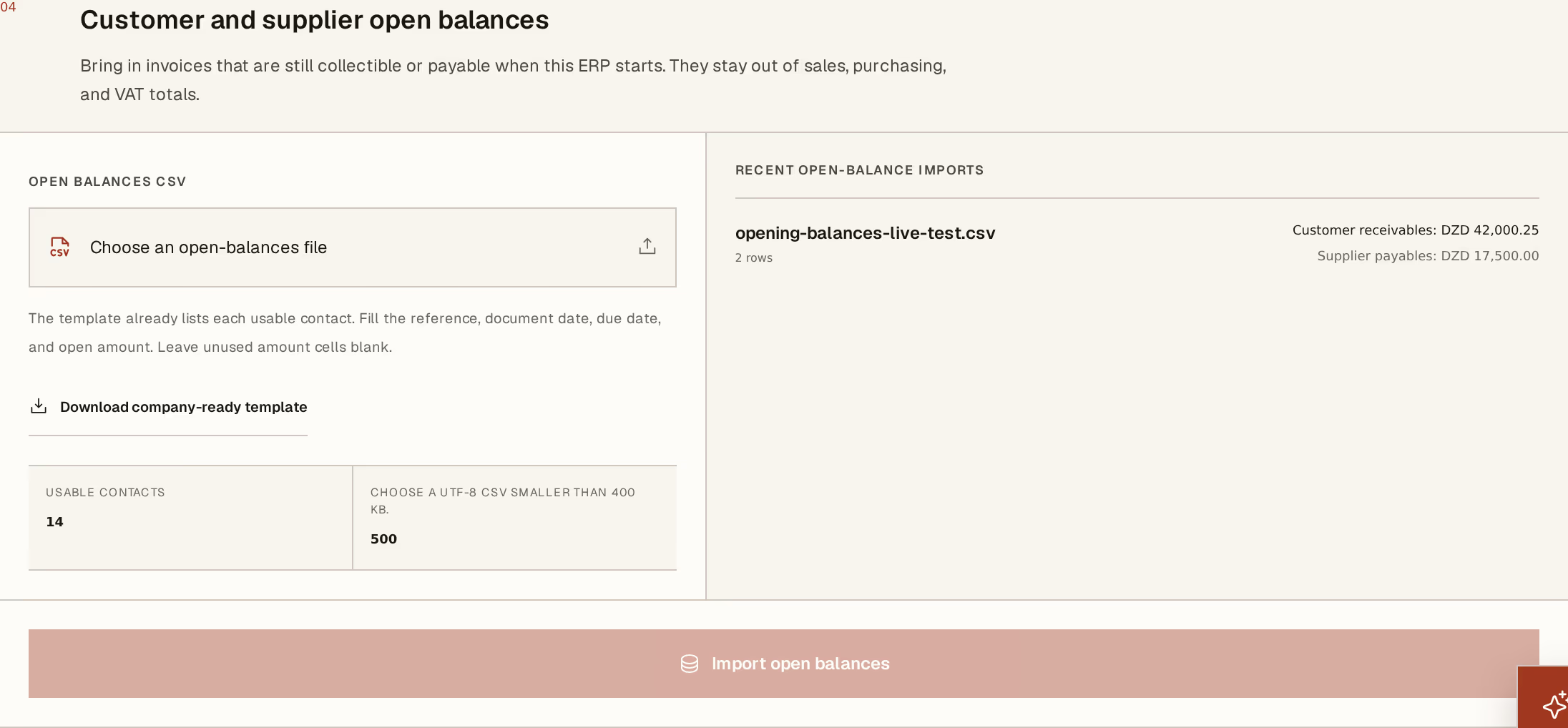
What to look at:
Download company-ready template — it already lists every contact you can use, each with its key. That matters more here than anywhere else: the balance has to attach to a contact that exists, so the template hands you the exact keys rather than asking you to spell names.
Import open balances — one button, all or nothing.
Per row you fill the document reference, the document date, the due date, and the outstanding amount — in the customer column or the supplier column, whichever applies, leaving the other blank.
Fill in the real references and the real dates. The reference is what your customer will quote on the phone, and the due date is what decides whether the line shows as overdue in what you are owed the day after you import. Dating everything "today" quietly makes a year of late payment look current.
What it did
Each row becomes an open receivable or payable against that contact. They chase, they age, they accept payments, and they appear on statements exactly like a line raised in this ERP.
What they do not do is count as trade. They stay out of your sales totals, your purchase totals, and your VAT — because the sale happened before you started here, and was declared, if it was declared, somewhere else. Why that separation exists is worth two minutes if the figures ever look short to you.
The panel on the right totals what you have imported, split into receivables and payables. Compare it against the totals you brought from your old system before you go any further; this is the moment to catch a missing file.
All or nothing, and once only. A bad row stops the whole file, and a document reference already imported is refused rather than duplicated — so a second attempt after a partial-looking failure is safe. A document date inside a closed accounting period is also refused; if you are importing history from before a period you have already closed, reopen it or move the date to an open one.
Next, you might want to
- Import your valued opening stockTell the ERP what is on the shelf, and what it cost you, on the day it takes over.
- Opening balances are not tradeWhy the invoices you import at migration are collectible, but never counted as sales, purchases, or VAT.
- Follow what you are owedRead the ageing block — who is late, by how long, and which balances have no due date at all.