All guidesSell
Reverse a delivery
Put stock back when goods were booked out twice, in the wrong quantity, or against the wrong invoice.
- Steps
- 3 · About 3 min
- Who can do this
- Owner · Manager · Accountant
- Needs the module
- Sell
Before you start
A delivery is the moment stock leaves your shelf. Book one that did not happen — twice by mistake, the wrong quantity, or against the wrong invoice — and your stock figure is wrong from that moment until someone fixes it.
This puts it back. It is not a customer return, and the difference matters: a return is goods that genuinely went out and genuinely came back. A reversal says the goods never went out at all, and the delivery note should not have existed.
Open the delivery on its invoice
Sales, open the invoice, and find the delivery in its list of delivery notes. Beneath it, Correct delivery.
If the invoice has several deliveries, correct the one that is wrong. They are separate documents and they reverse separately.
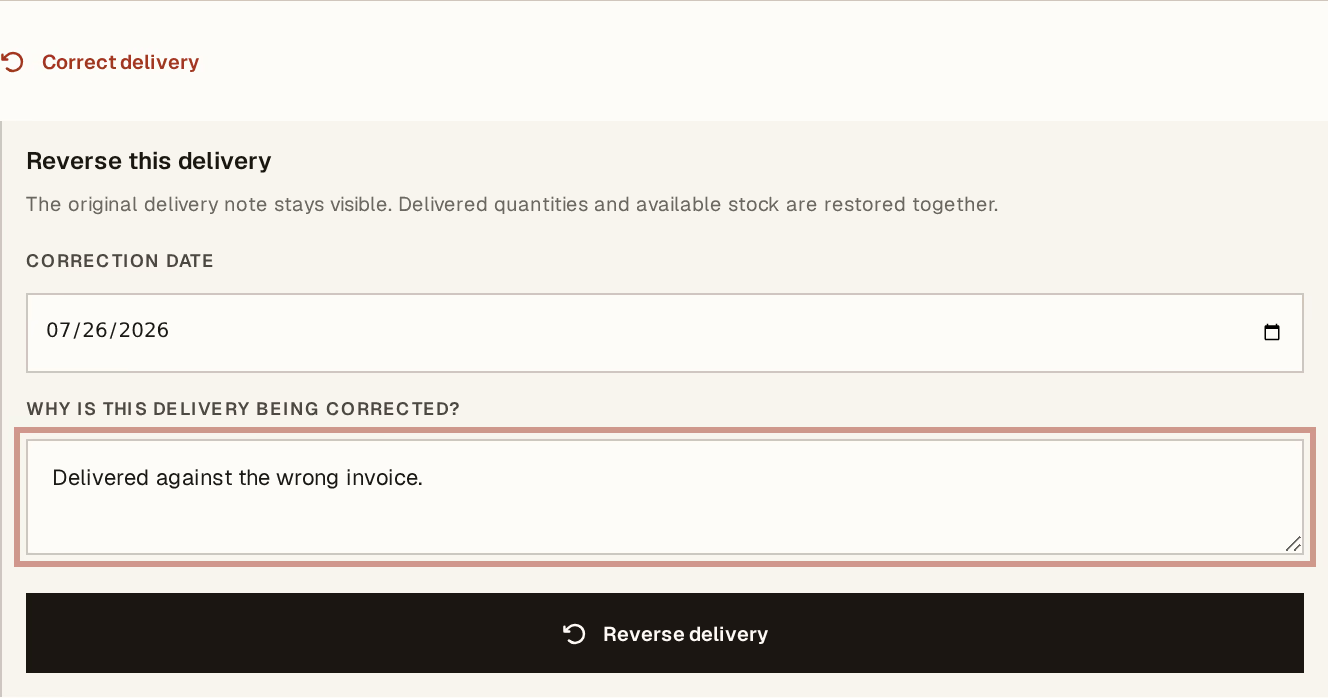
What to look at:
Correction date — when the stock comes back. Today by default, which is almost always right; the exception is a delivery you discover at month end and need to land inside the month it belongs to.
Why is this delivery being corrected? — required, and kept with the document. Duplicate, wrong quantities, delivered against the wrong invoice. Your warehouse will read this before your accountant does.
Reverse delivery — one press.
What it did
The delivered quantity comes off the invoice, and the same quantity goes back into the warehouse it left, at the cost it left at. The invoice returns to partly delivered or not delivered, and the lines are available to deliver again.
The original delivery note stays visible with its reversal beside it. If you already printed and handed over that note, its number still exists and still means something — which is exactly why it is not deleted.
Then record the delivery correctly, if there was a real one underneath the mistake.
Reversal or credit note?
This is the decision people get wrong, and it is worth ten seconds:
The goods never left — a mis-keyed delivery, a duplicate, the wrong invoice. Reverse the delivery. Nothing changes for the customer; they were never invoiced differently and they owe the same amount.
The goods left and came back — the customer returned them, or refused them at the door. Issue a credit note, which handles the stock and what they owe you.
Reversing a delivery does not change the invoice total and does not change what the customer owes. If money needs to move, a reversal is not the tool.
Reversing a delivery gives you back stock you may have already sold to someone else in the meantime. Check the item's balance afterwards — the arithmetic is correct, but the shelf is what it is, and a correction on screen does not put a carton back in the building.
Next, you might want to
- Record a delivery against an invoiceRecord the goods that physically leave, in full or a part at a time, and move stock with them.
- Issue a customer credit notePut right an invoice that was wrong, goods that came back, or a discount agreed after the fact — without touching the original.
- Why nothing here is ever editedHorizon213 corrects mistakes by posting the opposite, not by changing what was written. This is the rule behind almost every "you cannot" in the guides.