All guidesSet up your company
Add a field of your own
Put the one thing your business tracks that no ERP ships with onto customer or product records.
- Steps
- 3 · About 2 min
- Who can do this
- Owner · Manager
Every business has one or two things it tracks that no ERP ships with. A delivery zone. A shelf code. Whether a customer takes cheques. Rather than writing them in a notes box where nothing can find them, add a field.
Settings, at the foot, Business-specific fields.
Describe the field
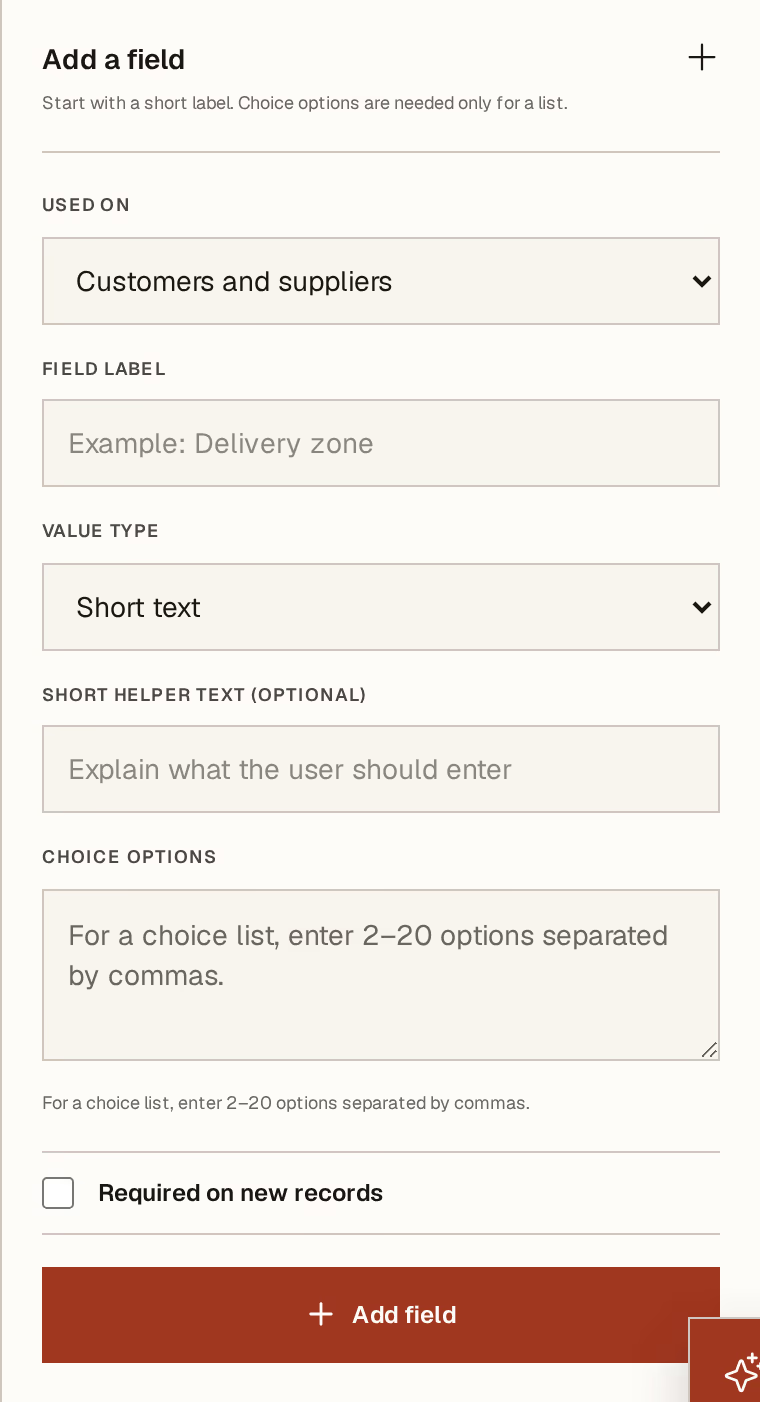
What to look at:
Used on — customers and suppliers, or products and services. The field appears on every record of that kind, so choose the one it genuinely belongs to.
Field label — what the person filling it in will read. Write it as you would say it: Delivery zone, not ZONE_LIV.
Value type — short text, number, date, yes/no, or a choice list. Pick the narrowest one that fits. A date typed into a text field cannot be sorted or compared; a choice list cannot be spelt three different ways by three people.
Required on new records — leave it off unless the business genuinely cannot proceed without it. A required field is a wall in front of everyone creating a record, forever.
Short helper text is optional and earns its place: one line telling the next person what you actually want in there. Choice options apply only to a choice list — two to twenty, separated by commas.
Press Add field.
Where it turns up
On every record of that kind, from then on: when somebody adds a customer or a product, your field is on the form, and it is part of the record after that.
It also joins the import templates, so a bulk import can fill it in rather than leaving you to type it into a hundred records afterwards.
Choosing well
The good ones are short, closed, and about the record itself: a zone, a route, a category, a licence number, an expiry.
The ones that go wrong are free text that should have been a choice list, and anything that is really about a transaction rather than a record. "Discount agreed" is not a property of the customer — it belongs on the price or the document. A field that stops being true the day after you set it will lie quietly for years.
Fields are per company. In a group, one company can track delivery zones while another has no use for them — you are not imposing your shape on the others.
Next, you might want to
- Add a customer or a supplierRecord who you sell to or buy from, once, so every later document fills itself in.
- Add a product or a serviceRecord what you sell once, with its price, tax and pack size, so every invoice and till press fills itself in.
- Import your customers, suppliers and catalogueBring existing records in from a spreadsheet, using the template Horizon213 generates for your company.