All guidesSet up your company
Choose a business profile
Pick the shape of business you run, and let it decide which modules a new company starts with.
- Steps
- 3 · About 3 min
- Who can do this
- Owner · Manager
A new company can switch on any of fourteen modules, and choosing from a blank list is the worst possible first task. The profile does that first pass for you: pick the kind of business you run, and it turns on the modules that kind of business uses.
Pick the closest one
Settings, section 01.
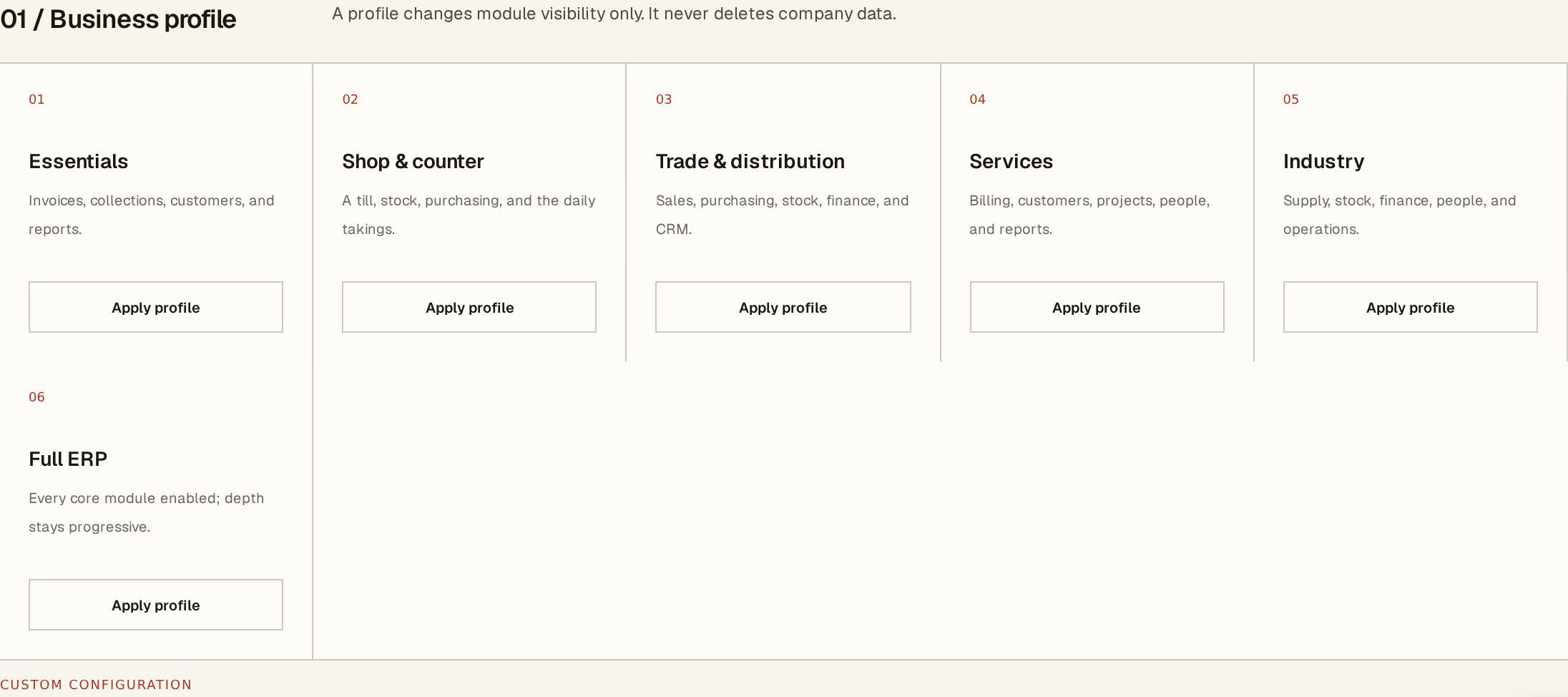
What to look at:
Essentials — invoices, collections, customers and reports. The smallest useful shape: you bill people and you follow the money.
Shop & counter — a till, stock, purchasing and the daily takings. For a business where most sales happen at a counter.
Trade & distribution — sales, purchasing, stock, finance and CRM. For buying and reselling, especially with a van.
Services adds projects, work orders and people to billing. Guarding & site services is for a business that staffs other people's places — it adds the site register and calls them Postes. Construction does the same for a builder, calls them Chantiers, and adds materials, stock and equipment. Industry covers supply, stock, finance, people and operations. Food & hospitality is the one for a restaurant or a bakery: a till and recipes together, which neither the shop nor the industrial profile gives you. Full ERP turns on every core module at once.
Every profile switches People on, because a company with one employee owes CNAS and IRG every month and a profile that hides the team is not a simpler ERP — it is one you have to leave to run payroll.
Pick the closest, not the perfect one. You are choosing a starting point, not signing up to it.
What applying one does, and does not do
A profile changes module visibility only. It never deletes company data. That sentence sits on the screen and is worth believing: applying a different profile switches modules on and off, and nothing you have recorded is touched. Switch a module back on later and its data is exactly where it was.
So the cost of choosing wrong is a menu you tidy up afterwards, not work you lose. Apply one, and adjust individual modules from the module switches when you find something missing or something you never use.
When to come back to it
Businesses change. A shop that starts delivering wants Distribution; a trader who takes on staff wants People.
You can apply a different profile at any time, but once you have been running a while it is usually gentler to switch on the one module you now need rather than re-apply a whole profile and re-tidy everything else.
Settings keeps naming the profile you chose even after you have moved a switch, marking it adjusted. The choice you made at setup does not disappear the first time somebody turns one module off, and re-applying it lines the switches back up if that is what you want.
Profiles are per company. In a group, each company has its own — one entity can run a till while another only invoices, and neither sees the other's menu. Company and group explains that split.
Next, you might want to
- Turn modules on and offShow only the parts of Horizon213 this company actually uses, and hide the rest from everyone's screen.
- Fill in your company's legal and fiscal identityEnter the identifiers that print on every document, and set the language, timezone and tax regime the company works under.
- Find your way aroundThe company you are in, the list of modules, Simple mode, and how to sign out.