All guidesStart here
Find anything with Ctrl+K
One shortcut, a business word, and you are on the right screen — without learning where anything lives.
- Steps
- 3 · About 2 min
- Who can do this
- Owner · Manager · Accountant · Team member · Read only
Before you start
Press Ctrl+K — ⌘K on a Mac — anywhere in the workspace. Type a word you already use in your business, and go where it takes you.
This is the fastest thing in the product, and the one most people never find.
Open it, and type
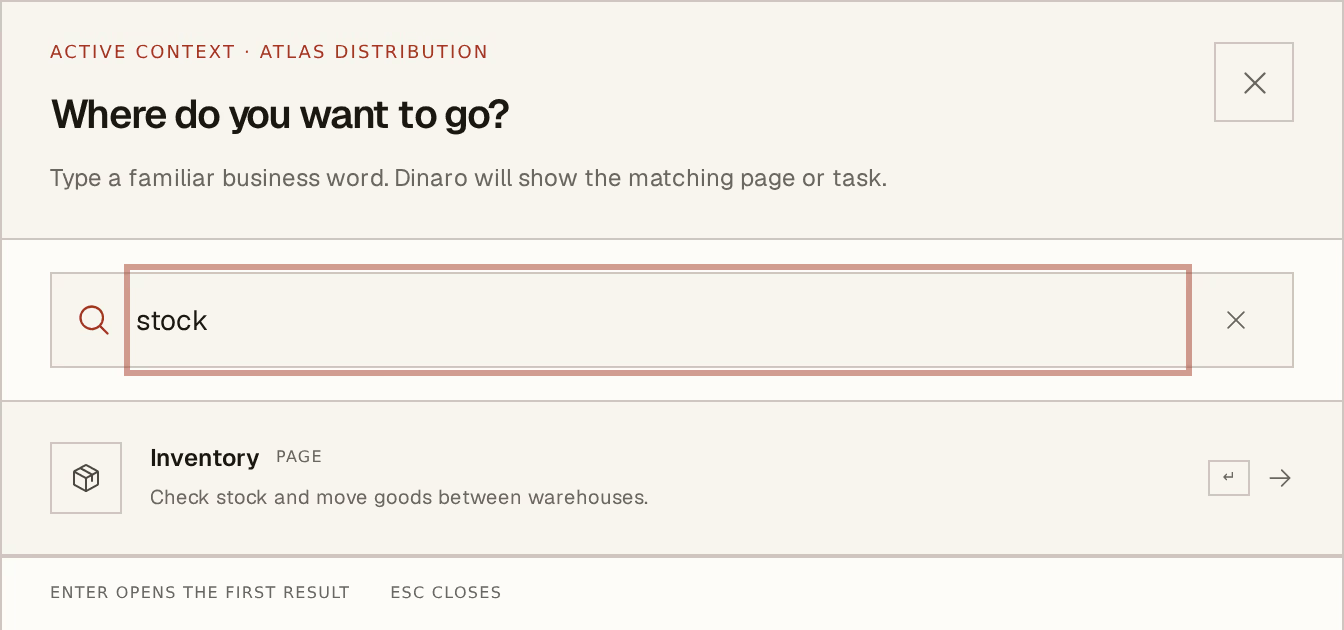
What to look at:
Type a familiar business word — invoice, stock, supplier, facture, فاتورة. Not a menu path, and not the name the software would use. It matches the words you would say out loud.
The first result is already selected — press Enter to go. Esc closes without going anywhere.
Results carry a short line saying what the screen is for, so a name you are not sure about does not have to be guessed at.
It knows where you are
The finder searches inside the company you are currently in, and says so at the top. In group view it searches the group. So the same word gets you to the right company's sales register without you thinking about it.
It also only offers what you can actually reach: modules that are switched off, and screens your role does not permit, are not in the list. If you cannot find something here, the answer is usually a permission or a module, not a spelling.
Three languages, one box
Type in whatever language is at hand. The finder matches Arabic, French and English terms regardless of the language the interface is set to — useful on a shared machine where the screen is in French and the person using it thinks in Arabic.
The finder navigates. It does not answer questions or do work. For "how much does Atlas owe me?" or "how do I issue a credit note?", that is Horizon213 AI.