All guidesStock
Set a minimum and get told what to reorder
Give a product a floor, and Horizon213 tells you when it drops through it instead of you noticing at the shelf.
- Steps
- 3 · About 2 min
- Who can do this
- Owner · Manager · Team member
- Needs the module
- Stock
A minimum is the level below which you want to be told. Set one on the things that hurt when they run out — the item every customer asks for, the packaging without which nothing ships — and stop relying on somebody noticing an empty shelf.
It costs one number per product and nothing afterwards.
Set the floor
Inventory, then the minimum stock reminders section.
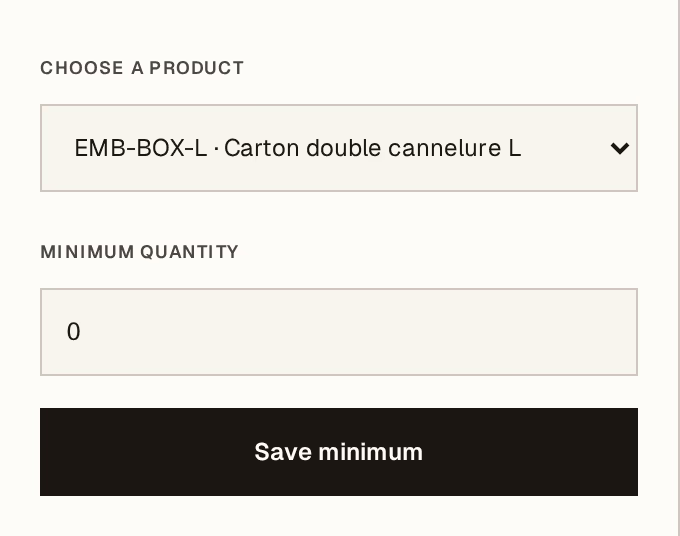
What to look at:
Product — the one you want watched.
Minimum quantity — the level that should trigger the reminder. Set it to what you need to cover the time it takes your supplier to deliver, not to zero: a warning that arrives when you have none left is not a warning.
Save minimum records it. Entering 0 removes the reminder.
Read the reorder list
Anything below its minimum appears under Stock to reorder, with the minimum you set and how far short it is. That list is the shopping list — take it straight to a purchase order.
Watch what is about to expire
Beside it sits Nearing its date: lots whose expiry is approaching, with the days left and the quantity on hand. That comes from the lot numbers recorded when goods were received — the one time the box was in front of somebody.
Both lists lead the dashboard's attention panel, which is where they do their work: the point is that nobody has to remember to come and look.
Minimums are per product, not per warehouse. A business holding the same item in two places is told when the total drops, not when one store empties.