All guidesPeople & HR
Add an employee
Create the record that leave, payroll and payslips all hang off.
- Steps
- 3 · About 2 min
- Who can do this
- Owner · Manager
- Needs the module
- People & HR
Everything about a person in Horizon213 hangs off one record: their absences, their salary profile, the payroll months they appear in, and every payslip they are given.
Create it once, properly, and the rest follows.
Fill in the record
People, then add an employee.
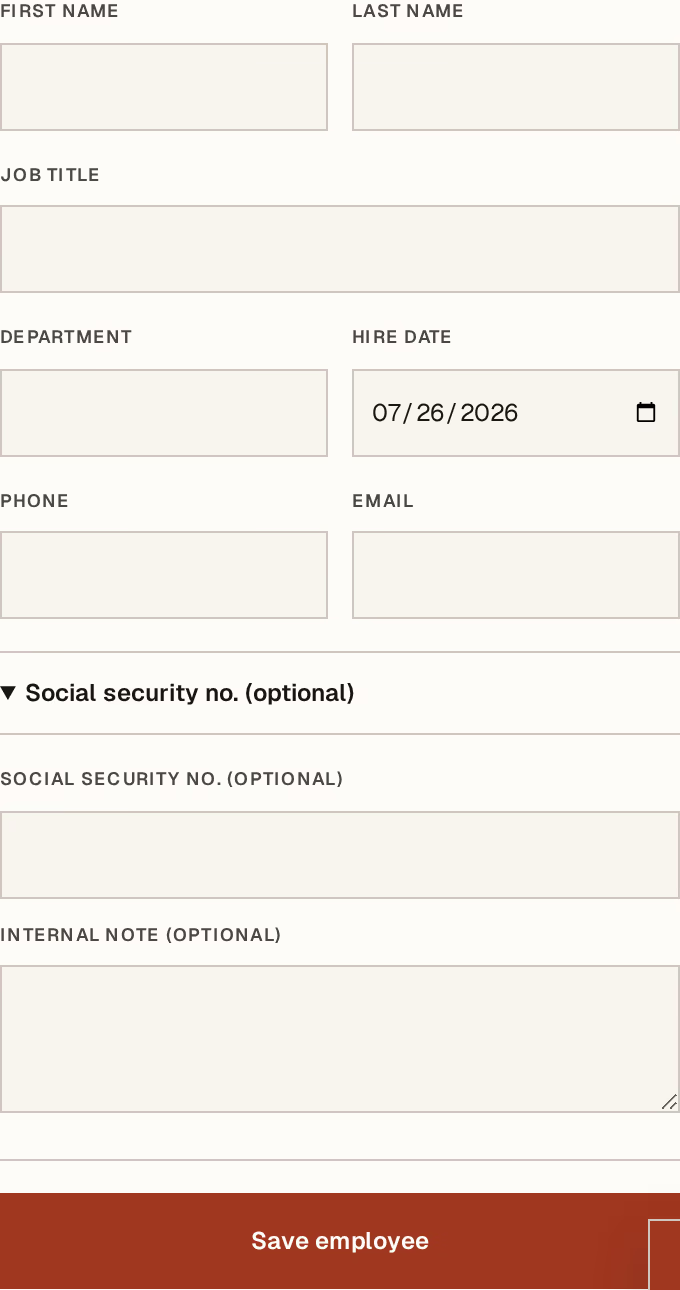
What to look at:
First name — with the surname beside it. This is what appears on the payslip and in every list, so write it as it appears on their papers, not as the office says it.
Role — their job title, with department beside it. The department is what makes cost by department mean anything when payroll starts producing figures; leaving it blank costs you nothing today and a report later.
Hire date — when they started. It is the date leave entitlement and service are counted from.
Social security number — their CNAS number. Fill this in before their first payroll month. It prints on the payslip, and a payslip with a gap where it should be is a payslip you will be reprinting.
Phone, email and notes finish the record. None is required, and the notes field is the right home for the small things a manager needs to remember.
What it does not do
Creating an employee does not put them on the payroll, and does not give them access to Horizon213. They are two separate, deliberate steps:
To pay them, give them a salary profile — base salary, allowances, and the tick that includes them in a run.
To let them sign in, invite them. An employee record and a user account are different things, and most employees never need the second.
When somebody leaves
Do not delete the record. Change their work status instead, and untick include in payroll on their salary profile.
The months they were paid in still have to make sense, their payslips still have to be readable, and a deleted person leaves holes in all of it. A former employee is a record with a status, not an absence.
Employees are per company. In a group, somebody working across two entities has a record in each — which is right, because each entity pays and declares separately.
Next, you might want to
- Set up payrollSet what each person earns and which rates apply, once, before you run a month.
- Plan an absence and approve leaveRecord who is away and when, get the overlap checked, and approve or decline the request.
- Read and print a payslipOpen one employee's payslip for a posted month, and understand every line on it.