All guidesPeople & HR
Read and print a payslip
Open one employee's payslip for a posted month, and understand every line on it.
- Steps
- 3 · About 2 min
- Who can do this
- Owner · Manager · Accountant
- Needs the module
- People & HR
Before you start
A payslip exists once a month is posted. Before that there is a calculation you can still change; after it there is a document, and the payslip is that document.
Open the posted month and choose Payslip on the employee's line.
Who, and for when
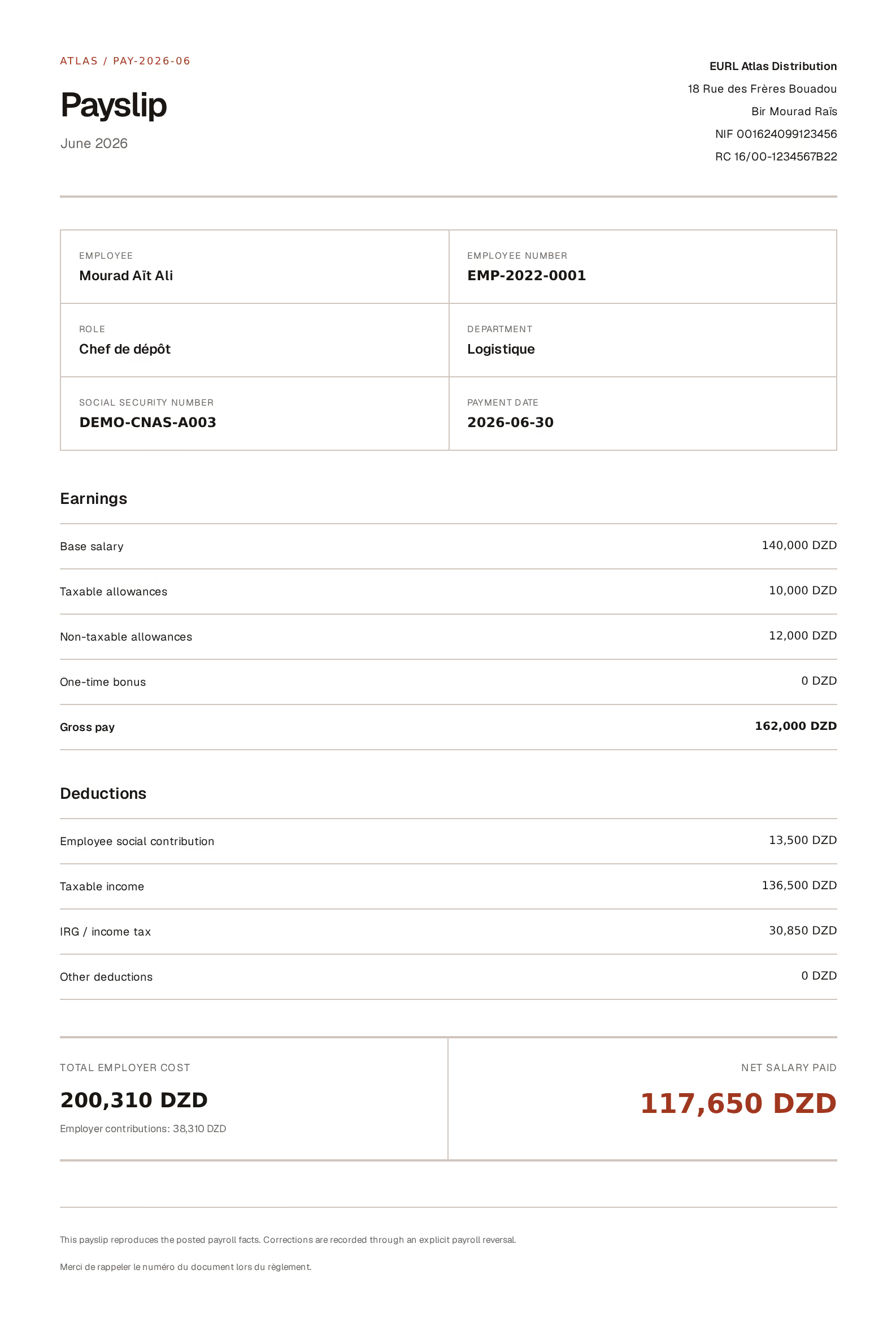
What to look at:
The employee block — name, employee number, role, department, social security number, and the payment date. All of it comes from the employee record, which is why an employee with no CNAS number on file produces a payslip with a gap in it. Fill that in before you post, not after.
Earnings — base salary, taxable allowances, non-taxable allowances, any one-time bonus, and gross pay as their sum. This is what the employee earned this month, before anything is taken off.
What was taken off, and what is left
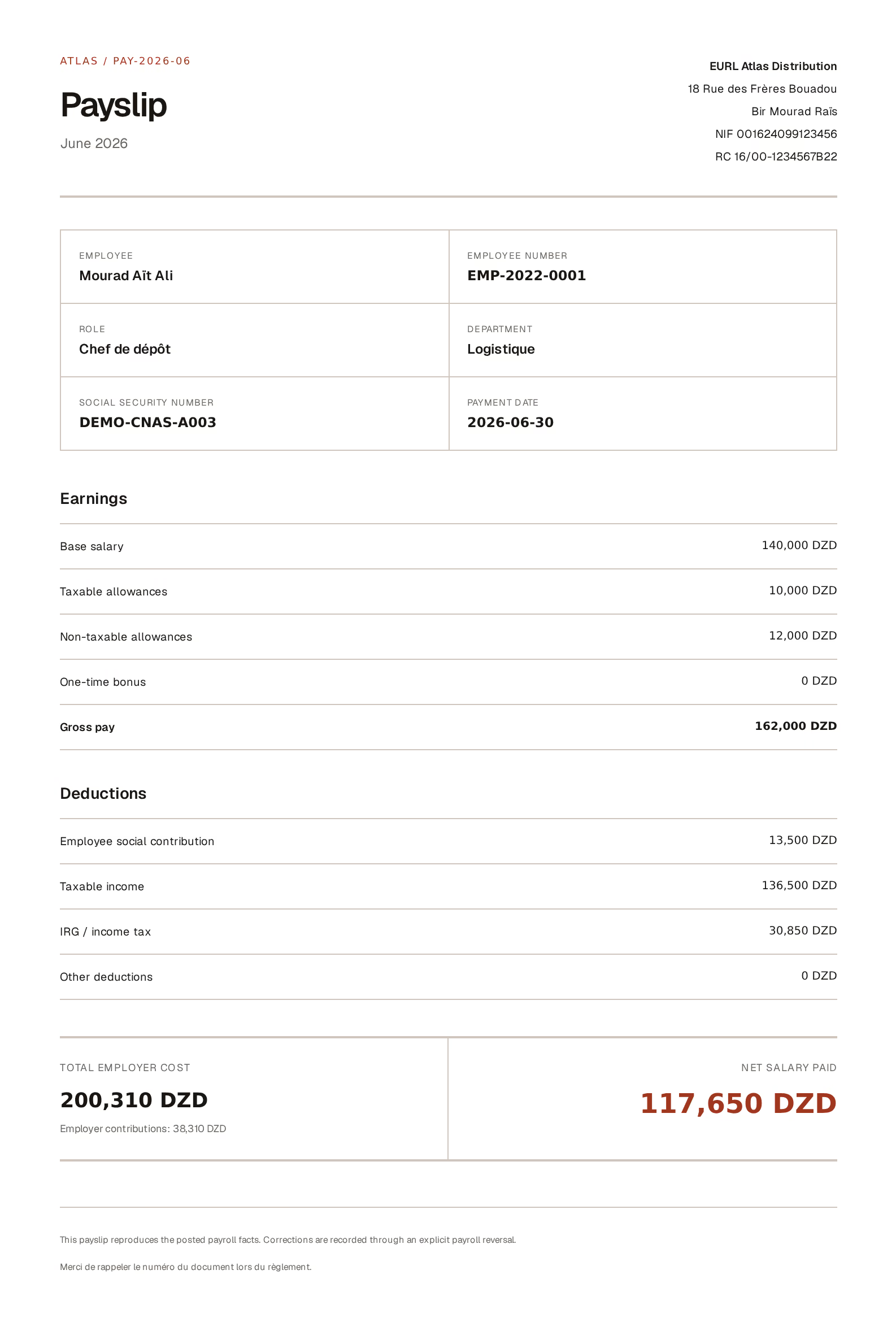
What to look at:
Deductions — read these in order, because each one feeds the next. Employee social contribution is calculated on base plus taxable allowances; non-taxable allowances are excluded, which is the whole point of the distinction. Taxable income is what remains after that contribution. IRG is then calculated on the taxable income, not on the gross — a difference worth knowing before an employee asks.
Total employer cost and net salary paid — the two numbers that matter to two different people. Net is what reaches the employee's hand. Employer cost is gross plus the employer's own contributions, and it is what the month actually costs the business.
The gap between them is not a deduction from anyone's pay. It is the employer's share, paid on top.
Printing it
Print / PDF at the top uses the browser's print dialog, exactly like every other document. Choose Save as PDF as the destination to send it rather than print it.
It prints in the language you are reading in, so an Arabic payslip is a language switch away.
The payslip reproduces what was posted. It is not a live calculation, and it cannot be edited — a payslip that is wrong means the month was wrong, and the repair is a payroll reversal, after which the corrected month produces a new one.
Next, you might want to
- Run a payroll monthPrepare the month, adjust what needs adjusting, then post and pay in one operation.
- Set up payrollSet what each person earns and which rates apply, once, before you run a month.
- Reverse a posted payrollUndo a whole payroll month — the expense, the liabilities and the payment — when it was posted wrong.