All guidesSites you staff
Set up a site
Record a place you staff under contract — who it belongs to, how many people it needs, and what it bills.
- Steps
- 4 · About 3 min
- Who can do this
- Owner · Manager · Team member
- Needs the module
- Sites you staff
Before you start
Some businesses do not sell a thing, they staff a place. A guarding company rents agents to a residence or a bank branch; a cleaning company covers a hospital and two schools; a builder runs three chantiers at once.
For all of them the morning question is the same, and until now Horizon213 could not answer it: who is at that place, are there enough of them, and does what we bill for it cover what it costs to staff.
Turn the module on first
Sites is off until a company asks for it, because a business working from one address has no places to name.
The Guarding & site services and Construction business profiles turn it on for you, and pick the word your business uses — Postes for one, Chantiers for the other. Otherwise switch it on from the module switches.
Create the site
Sites, then the panel on the right.
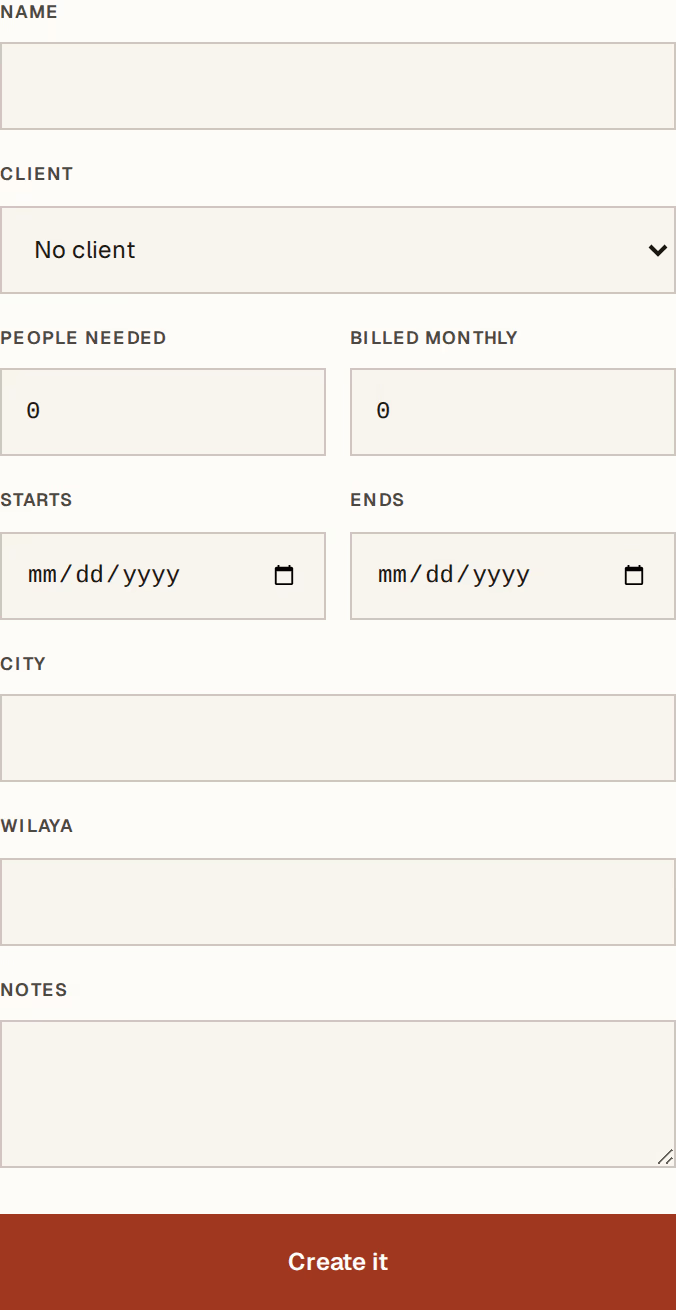
What to look at:
Name — what everybody in the company calls it. This is the only required field.
Client — the customer it belongs to, from your customers and suppliers. A site with no client is perfectly valid: your own depot is still a place you staff.
People needed — how many should be posted there. This is what makes the register able to say short-staffed, so it is worth setting even roughly.
Billed monthly — what the client pays for it. It raises no invoice; it is recorded so the site can be read against what it costs.
Starts and Ends, then City and Wilaya, finish the record.
The site gets a stable SITE-YYYY-NNNN number, the same way every other record
in Horizon213 is numbered.
Choose what you call them
A poste to a guarding company is a chantier to a builder and an agence to a chain, and none of them would recognise the others' word.
Settings, in the module table, next to Sites: pick Sites, Postes, Chantiers or Agences. It changes every label in the module, in all three languages. Your business profile sets a sensible one when it is applied, and this is where you change it.
Suspending and closing
A site is never deleted, because last month's cost has to stay explainable.
Suspended is for a client who has paused. It stays in the register with its history.
Closed is the end of the contract. Closing also ends every open assignment on it, so nobody keeps counting towards a place that is no longer covered.
Past months are untouched either way. A closed site still shows what it cost while it was running.
Next, you might want to
- Post people to a siteSay who works where, in what role, on days or nights — and see at a glance which sites are short.
- Read what a site costsSee the month's labour cost of a site against what you bill for it, worked out from payroll you have already posted.
- Add a customer or a supplierRecord who you sell to or buy from, once, so every later document fills itself in.